
It happens in an instant. Your iPhone slips, hits the ground, and the screen is shattered, or worse, it won’t even turn on. That immediate worry about the cost of repair quickly turns into dread about losing all the information stored inside. And for many of us, losing access to our WhatsApp chats – filled with important conversations, family photos, and crucial work details – is one of the most upsetting parts of a broken phone.
You might think that with a physically damaged phone, your WhatsApp history is gone forever. How can you possibly get data off a device you can’t even use? It feels like a dead end, leaving you wondering if there’s any hope of recovering those vital messages and media.
Is There Any Free Method to Recover My WhatsApp Data?
Yes, sometimes you might get lucky with free methods, like checking if WhatsApp created a recent automatic backup to iCloud before your phone broke. However, these free options often have limitations. They typically only work if the backup feature was enabled before the incident, and they might not capture the very latest data or offer selective recovery. For a broken phone where direct access isn’t possible, free methods are often insufficient for complex recovery needs like retrieving WhatsApp data.
Introducing Gbyte Data Recovery: Best Solution
When your iPhone is broken and your WhatsApp data is trapped inside, relying on limited free methods can be frustrating. This is where a specialized tool like Gbyte Data Recovery becomes invaluable. It’s designed specifically to handle challenging data loss situations on iOS devices, including when your phone is physically damaged or unresponsive. Being the best data recovery software, Gbyte Data Recovery offers a more robust and reliable pathway to help you recover your essential WhatsApp chats and other data, even when direct access to your iPhone isn’t possible.
What Can You Recover with Gbyte?
When your phone is broken, you’re not just worried about WhatsApp; you risk losing all sorts of important information. A comprehensive recovery tool needs to be able to find everything that matters. Gbyte Recovery is designed to support a wide variety of data types, which is crucial when you can’t even see what’s on your damaged iPhone. It aims to help you get back much more than just messages, often by accessing data stored in your iCloud backup. Here’s a look at the many types of data Gbyte is designed to retrieve:
- Photos and Videos: Our photo and video libraries are filled with cherished memories. Even if your screen is shattered, Gbyte can help you try to recover these visual records. It’s built for lossless recovery, aiming to get your pictures and videos back in their original quality.
- Messages (SMS, iMessage): Beyond instant messaging apps, standard text messages often contain important details or conversations. Gbyte is designed to search for and recover these deleted SMS and iMessages, including those marked for permanent deletion, before your phone broke.
- Contacts, Call History, Notes, Reminders, and Safari History: Losing your contact list is a major disruption. Gbyte can help you recover your contacts, along with records of your calls, important notes, reminders, and even your Browse history from Safari. These are essential pieces of your digital life.
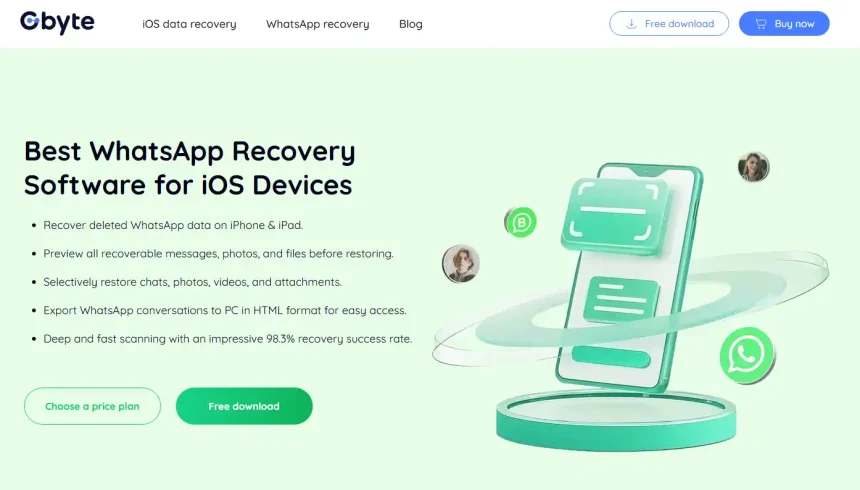
- WhatsApp Data: This is often the most critical data when a phone is broken. Gbyte offers specialized and comprehensive support for recovering WhatsApp data. This includes all your chat conversations (individual and group), and crucially, the photos, videos, documents, and voice messages shared within those chats. It also covers data from WhatsApp Business accounts. When your phone is damaged, knowing Gbyte can handle the complexities of WhatsApp recovery provides significant peace of mind, often by accessing your iCloud backup.
- Instagram and Snapchat Data: For those who actively use social media for sharing and communication, data from apps like Instagram and Snapchat can be very important. Gbyte extends its recovery capabilities to these platforms, aiming to retrieve photos and videos you might have shared, even when your phone is inaccessible.
- Other Social and Chat Apps (Facebook Messenger, LINE, Telegram): Gbyte understands that users communicate on multiple platforms. Its support includes recovering data from Facebook Messenger, LINE, and Telegram. This broad compatibility means Gbyte can help retrieve conversations and shared media across a variety of messaging apps, even when your primary device is broken.
This extensive list shows that Gbyte aims to be a comprehensive solution, tackling many different types of data loss, which is especially valuable when you can’t physically access your damaged phone.
Gbyte Subscription Plan
Accessing the full capabilities of Gbyte Data Recovery requires a paid subscription, which is typical for professional data recovery software. Gbyte offers several plan options to fit various user needs. All plans include a set of core features: the ability to recover 25 different data types, support for all devices linked to your iCloud account, automatic software updates to maintain compatibility, free technical support, and a 30-day money-back guarantee.
Here are the current plan options:
- Monthly Plan: This plan is suitable if you need immediate recovery for a recent data loss event and prefer a short commitment. It costs US$59.99 (originally US$69.99).
- Annual Plan: This plan provides a full year of access, offering flexibility if you anticipate needing recovery services again within the year. It is priced at US$69.99 (originally US$79.99).
- Lifetime Plan: For long-term needs and the best value, the Lifetime Plan offers permanent access with a single purchase. It costs US$99.99 (originally US$109.99).
These plans provide access to powerful features that limited free options simply can’t match, especially when dealing with a complex situation like recovering data from a broken phone.
How to Use Gbyte Data Recovery to Recover from Broken Phone
When your iPhone is broken, you usually can’t connect it directly for a scan. Gbyte’s method for recovering data in this scenario typically involves using your iCloud backup. Here’s how it generally works:
- Start by downloading and installing the Gbyte Recovery software on your computer.
- Select the option within Gbyte to recover from an iCloud backup (since your phone is broken).
- Sign in to your iCloud account using your Apple ID.
- Gbyte will show you available iCloud backups. Choose the backup most likely to contain your WhatsApp data.
- Gbyte will analyze the backup. Select “WhatsApp” and any other data types you want.
- Preview the recoverable WhatsApp messages and other files.
- Select the specific data you need and click “Recover” to save it to your computer.
This process allows you to bypass the physical damage to your phone and retrieve your data from the cloud.
Why Choose Gbyte Recovery
When facing the distress of a broken iPhone and the potential loss of critical data like WhatsApp messages, choosing a reliable tool is essential. Gbyte Recovery stands out as the best data recovery software for this specific challenge because it can effectively recover data from damaged or inaccessible devices by utilizing iCloud backups. It offers specialized support for recovering comprehensive WhatsApp data, which is often the top priority in such cases. While free methods are limited, Gbyte provides a more powerful and comprehensive solution, all while prioritizing your data’s privacy through local processing.
Final Verdict
Having a broken iPhone and worrying about losing your WhatsApp data is a very real and stressful situation in 2025. While some basic free methods exist, they are often insufficient, especially when the phone is inaccessible.
Gbyte Data Recovery offers a promising and robust solution tailored for these difficult scenarios. Its capability to recover a wide range of data, with a strong focus on WhatsApp, directly from iCloud backups, is a critical feature when your physical device is out of commission. The investment in a tool like Gbyte provides access to powerful recovery technology and support, offering a much higher chance of successfully retrieving your important digital life compared to relying on limited free options. If your iPhone is broken and you need to get your WhatsApp data back, Gbyte Recovery is a solution that warrants serious consideration.
