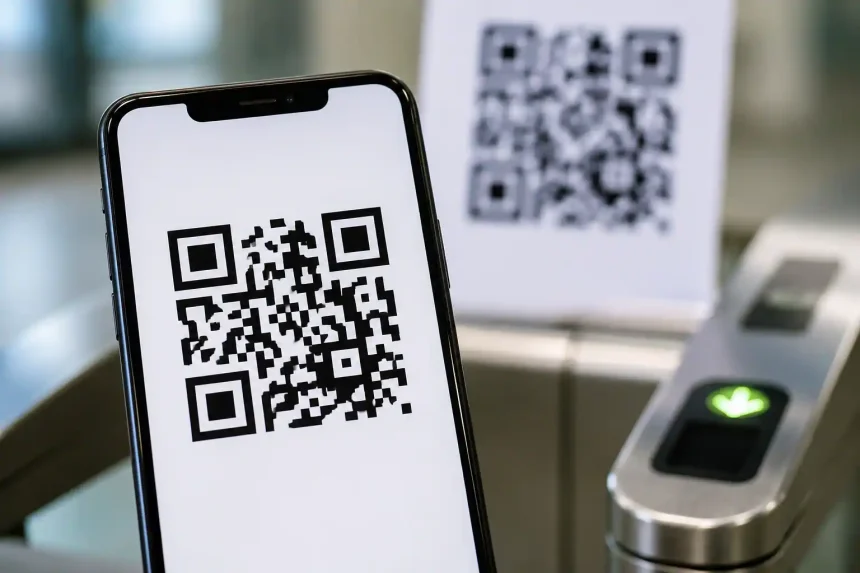
If you’re searching for “dtu qr code,” you’re likely trying to understand what a DTU is, how QR codes interface with it, and where this pairing is used in the real world. This guide explains the core concept in clear, practical English, highlights common use cases, and shares implementation tips so you can plan, deploy, or troubleshoot these systems with confidence.
What Is a DTU?
Definition in simple terms
- A DTU (Data Transfer Unit or Data Telemetry Unit) is a device or module that moves data between field equipment and a central system over wired or wireless networks.
- It’s commonly found in IoT, industrial automation, energy management, agriculture, logistics, and environmental monitoring.
Typical functions
- Collect telemetry from sensors, meters, PLCs, or controllers.
- Buffer, encrypt, and forward data to cloud or on‑prem servers.
- Provide device identity, configuration, and remote management.
What Is a QR Code?
Quick refresher
- A QR code is a 2D barcode that encodes data such as a URL, ID, or configuration string.
- Modern smartphones and many industrial scanners can read QR codes instantly, even when partially damaged thanks to error correction.
Why QR codes pair well with DTUs
- Zero‑keyboard onboarding for technicians in the field.
- Fast asset identification and linking to cloud records.
- Offline bootstrapping of configuration when networks are limited.
What Is a DTU QR Code?
Core idea
- A “dtu qr code” is a QR label associated with a specific DTU. Scanning it pulls up device identity, provisioning instructions, diagnostics, or a management URL.
- Manufacturers print the QR on the device casing, user manual, or packaging, making install and support faster.
What the code can contain
- Unique device ID or serial number (with checksum).
- Secure claim token for onboarding the DTU to a platform.
- Wi‑Fi/LTE APN parameters or MQTT broker endpoints.
- Encrypted payload linking to certificates or keys stored in secure hardware.
- A support URL for firmware, manuals, and RMA status.
How It Works: Scan‑to‑Provision Flow
1) Identification
- A technician scans the “dtu qr code” using a mobile app or phone camera.
- The app decodes the payload to identify the unit and fetch its status from the cloud.
2) Authentication and claim
- If the payload includes a claim token, the app exchanges it with the server to prove physical possession of the specific DTU.
- The platform binds the DTU to the project, site, or customer account.
3) Configuration
- The app pushes network settings (e.g., APN, Wi‑Fi SSID, TLS endpoints) to the DTU over BLE, NFC, serial, or a temporary hotspot.
- Optional: the app sends calibration data or selects a firmware channel.
4) Verification
- The DTU connects to the target server, completes mutual TLS, and starts telemetry.
- The app confirms that messages are flowing and closes the setup workflow.
Common Use Cases
Industrial and energy assets
- Solar inverters, battery systems, and smart meters often ship with a “dtu qr code” to simplify site commissioning and later service visits.
Utilities and infrastructure
- Water, gas, and district‑heating meters use QR labels to pair physical meters with billing and SCADA records.
Logistics and cold chain
- Data loggers on pallets or reefers expose a QR to open a live temperature dashboard, deadline alerts, or a shipment chain‑of‑custody record.
Building automation
- HVAC controllers and sub‑metering DTUs are provisioned via QR to reduce manual typing and errors during mass deployment.
Security Considerations
Best practices for safe deployments
- Avoid storing static secrets in plaintext QR codes; use short‑lived claim tokens.
- Bind tokens to serial numbers and require server‑side verification.
- Enforce mutual TLS and certificate pinning on the DTU.
- Rotate credentials automatically after first claim.
- Print tamper‑evident labels; invalidate codes for returned or stolen devices.
Risks to watch
- QR phishing: malicious stickers replacing the original code.
- Replay attacks with re‑used tokens if expirations are too long.
- Data leakage from over‑verbose payloads.
Implementation Checklist
Hardware and labeling
- Ensure the QR has adequate contrast and size; include the serial in human‑readable text.
- Choose an error‑correction level (M or Q) suitable for dirty or outdoor environments.
- Use UV‑resistant, chemical‑resistant label stock for industrial sites.
Payload and backend
- Keep payloads concise; prefer a short URL with a time‑bound token.
- Map QR scans to an audit log with user, time, and GPS (where lawful).
- Provide a fallback manual entry path for the serial number.
Mobile app and UX
- Offer an integrated scanner with auto‑focus and low‑light support.
- Show clear next steps after scan: claim, configure, test.
- Cache settings for offline use; sync when connectivity returns.
Troubleshooting: When a DTU QR Code Won’t Scan
Quick checks
- Clean the label; verify lighting and camera focus.
- Try a different scanner app or enable higher resolution.
- Manually enter the printed serial as a fallback.
If the code resolves but onboarding fails
- Token may be expired; request a new claim from the console.
- Check APN/SIM status or Wi‑Fi credentials.
- Verify time sync on the DTU; TLS often fails when the RTC is wrong.
- Confirm firewall rules and MQTT/HTTPS endpoints.
Compliance and Data Governance
Regulations to consider
- Store only minimal personal data in scan logs; comply with GDPR/CCPA where applicable.
- Keep device certificates and keys in HSMs or secure elements.
- Document retention periods and offboarding for decommissioned units.
Buying and Vendor Selection Tips
Questions to ask suppliers
- Is the “dtu qr code” tokenized and time‑bound? What is the expiry policy?
- Do you support enterprise SSO for claim and console access?
- What’s the process for lost, damaged, or tampered labels?
- Can the DTU be provisioned offline and then sync securely?
Future Trends
Where things are headed
- Matter‑style standard claims and interoperable onboarding across vendors.
- Wider use of dynamic QR codes that rotate tokens on schedule.
- Camera‑first field workflows that combine QR with AR overlays for guided installs.
FAQ: Fast Answers about “dtu qr code”
What does a DTU QR code do?
It links a physical DTU to its digital twin, enabling fast identification, secure claim, and configuration.
Is it safe to use?
Yes—if implemented with short‑lived tokens, TLS, and server‑side verification.
Do I need a special app?
Often yes. Vendors provide a mobile app that knows how to decode the payload and talk to the DTU.
Can it work offline?
Yes. The app can stage configuration locally and complete secure sync when the DTU gets connectivity.
Key Takeaways
- “dtu qr code” workflows shorten install time, reduce data entry errors, and strengthen traceability.
- Treat the QR as a bootstrap mechanism; keep secrets on the server, not the sticker.
- Plan for lifecycle events: replacements, returns, and decommissioning.