Introduction
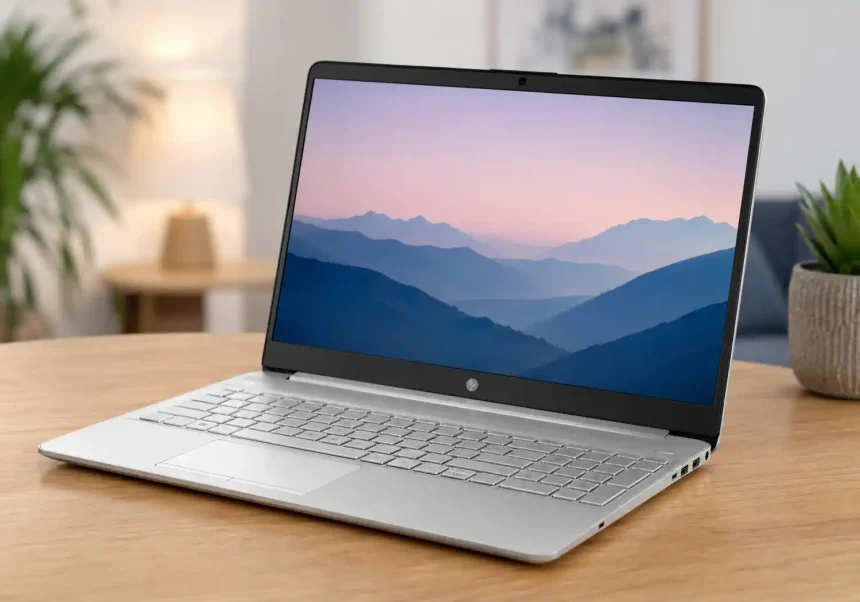
The HP Laptop 15s du0xxx series represents one of HP’s most popular budget-friendly offerings in the 15.6-inch laptop segment. Designed primarily for students, home users, and professionals who need a dependable machine for everyday computing, this series has carved out a solid reputation since its release. Powered by Intel’s 10th generation processors and featuring a clean, minimalist design, the 15s du0xxx strikes a careful balance between affordability and functionality.
What makes this particular model interesting is how it handles the three pillars of daily laptop use: display quality for long work or study sessions, battery life for on-the-go productivity, and overall performance for routine applications. In this article, we take a close look at each of these aspects so you can determine whether the HP 15s du0xxx deserves a spot on your desk.
Display Quality: What to Expect from the 15.6-Inch Panel
Screen Size and Resolution
The HP 15s du0xxx comes equipped with a 15.6-inch diagonal display, a size that has become the sweet spot for users who want enough screen real estate without sacrificing portability. Most configurations ship with a standard HD resolution of 1366 x 768 pixels, though certain variants offer a Full HD 1920 x 1080 panel. The difference between the two is noticeable: text appears sharper on the FHD version, and you can fit more content on screen without scrolling.
If your daily workflow involves reading documents, browsing websites, and watching streaming content, the FHD variant is worth seeking out. The HD panel, while perfectly functional, can feel limiting when you have multiple windows open side by side.
Panel Technology and Viewing Angles
The majority of 15s du0xxx models use an anti-glare LED-backlit display. The anti-glare coating is a practical addition, as it significantly reduces reflections from overhead lighting and windows — something you will appreciate during long work sessions. Brightness levels typically hover around 220 to 250 nits, which is adequate for indoor environments but may struggle under direct sunlight.
Viewing angles are somewhat narrow, which is expected at this price point. Colors shift noticeably when viewing the screen from the sides or from above. This is characteristic of TN or lower-cost IPS-type panels and is worth keeping in mind if you frequently share your screen with colleagues or family members.
Color Accuracy and Multimedia Experience
Color reproduction on the HP 15s du0xxx is serviceable rather than exceptional. The panel covers approximately 45% of the NTSC color gamut, meaning it handles basic tasks and video streaming without issue but falls short for color-critical work like photo editing or design. For Netflix binges, YouTube tutorials, and casual gaming, the display delivers a pleasant enough experience — just don’t expect the vibrancy you would find on a premium ultrabook.
The dual speaker setup, located on the bottom edges of the chassis, provides modest audio output. Pairing the laptop with headphones or external speakers noticeably improves the multimedia experience.
Battery Life: All-Day Stamina on a Budget
Battery Capacity and Manufacturer Claims
HP equips the 15s du0xxx series with a 3-cell, 41Wh lithium-ion battery. The company advertises up to 7 to 8 hours of mixed usage on a single charge, though real-world results vary depending on your specific configuration and how you use the machine. Models with the HD display and Intel Core i3 processor tend to outlast those with FHD screens and Core i5 chips.
Real-World Usage Results
In typical daily use — web browsing across half a dozen tabs, streaming music in the background, working on documents, and occasional video playback — users report battery life ranging from 5 to 6.5 hours on the FHD models. The HD variants can push closer to the 7-hour mark under similar conditions. These figures are competitive within the budget laptop category, where anything above five hours is generally considered acceptable.
Heavier workloads naturally drain the battery faster. Streaming HD video continuously will bring the runtime down to around 4 to 4.5 hours, while light tasks like offline document editing can stretch it beyond seven hours.
Charging Speed and Power Adapter
The included 65W AC adapter supports HP’s fast charging technology. According to HP, the battery can reach approximately 50% capacity in about 45 minutes of charging. This feature proves particularly useful when you need a quick top-up between meetings or classes. A full charge from near-empty takes roughly 90 to 120 minutes.
One practical tip: enabling battery saver mode through Windows and reducing screen brightness to around 60-70% can noticeably extend battery life during long days away from an outlet.
Everyday Performance: Handling Daily Tasks with Ease
Processor Options and Configurations
The 15s du0xxx series runs on Intel’s 10th generation Comet Lake processors, with the most common configurations featuring the Intel Core i3-1005G1 or the Core i5-1035G1. The i3 variant, with its dual-core, four-thread architecture and base clock of 1.2GHz, handles basic multitasking and office applications without complaint. Stepping up to the quad-core i5 model provides a tangible boost in responsiveness, particularly when juggling multiple browser tabs, video calls, and productivity software simultaneously.
Memory configurations typically range from 4GB to 8GB of DDR4 RAM, with storage split between 256GB and 512GB NVMe SSDs. The SSD is the unsung hero here — its presence ensures quick boot times, snappy application launches, and an overall responsive feel that mechanical hard drives simply cannot match.
Multitasking and Application Performance
For the tasks this laptop is designed to handle, performance is more than adequate. Microsoft Office applications run smoothly, web browsers handle a dozen or more tabs without significant slowdown, and video conferencing tools like Zoom and Microsoft Teams operate without hiccups — though the 720p webcam leaves room for improvement in terms of image quality.
Light creative work, such as basic photo editing in Canva or occasional use of entry-level design tools, is within the machine’s capabilities. However, demanding applications like Adobe Premiere Pro, AutoCAD, or modern AAA games are firmly outside its wheelhouse. The integrated Intel UHD Graphics simply lack the horsepower for GPU-intensive workloads.
Thermals, Noise, and Build Quality
The 15s du0xxx manages heat reasonably well. The cooling system, while not elaborate, keeps surface temperatures within comfortable limits during routine use. The fan remains unobtrusive during light tasks, spinning up audibly only under sustained load. This makes the laptop well-suited for quiet environments like libraries, offices, or shared living spaces.
Build quality is a mix of plastic and subtle design touches. The silver finish with a brushed pattern on the lid and keyboard deck gives the laptop a more premium look than its price would suggest. At approximately 1.74 kg, it is not the lightest 15-inch laptop available, but it remains portable enough for daily commutes and campus life.
Connectivity and Ports
The HP 15s du0xxx offers a practical selection of ports that covers most everyday needs:
- Two USB 3.1 Gen 1 Type-A ports for peripherals and external drives
- One USB 2.0 Type-A port, ideal for a mouse or keyboard
- One HDMI 1.4b port for connecting to external monitors or projectors
- One 3.5mm headphone and microphone combo jack
- One SD card reader, convenient for photographers and content creators
- One DC-in power jack
Wireless connectivity includes Wi-Fi 5 and Bluetooth 4.2, which provide stable connections for browsing, streaming, and pairing accessories. The absence of a USB Type-C port is a minor disappointment, especially as more devices and accessories adopt the standard.
Software and Out-of-the-Box Experience
The laptop ships with Windows 10 Home or Windows 11 Home, depending on the manufacturing date. HP includes a handful of pre-installed utilities such as HP Support Assistant and HP JumpStart, which can be helpful for driver updates and system diagnostics. Some users may prefer to remove the trial versions of third-party software that occasionally appear on new machines.
Who Should Consider the HP 15s du0xxx?
This laptop is an excellent fit for several user profiles:
Students who need a reliable machine for research, essay writing, online classes, and light entertainment will find the 15s du0xxx meets their needs without straining a tight budget. Home users looking for a family computer for browsing, streaming, and managing household tasks will appreciate the straightforward experience. Remote workers whose daily tools are limited to web-based applications, office suites, and video calls will find performance perfectly adequate.
On the other hand, creative professionals, hardcore gamers, and anyone who needs to run demanding software should look toward higher-tier models with discrete graphics and more powerful processors.
Conclusion
The HP Laptop 15s du0xxx delivers exactly what it promises: dependable, no-fuss computing for everyday tasks. Its display is functional and easy on the eyes during extended use, though the upgrade to Full HD is strongly recommended. Battery life comfortably handles a typical workday when managed thoughtfully, and the fast charging feature provides a welcome safety net. Performance from the 10th Gen Intel processors and NVMe storage keeps daily workflows smooth and frustration-free.
While it does not push boundaries in any single category, the 15s du0xxx succeeds by getting the fundamentals right at a price point that remains accessible. For students, home users, and professionals with straightforward computing needs, it remains a sensible and practical choice worth considering.