
There was a time when leaving the office meant leaving your work behind. If an important file was sitting on your desktop computer or a project needed one last adjustment, you often had to wait until you returned. Today, that situation has changed dramatically.
Whether you’re working remotely, traveling for business, or simply away from your desk for a few hours, being able to access your computer from a mobile device has become an everyday convenience rather than a luxury. As flexible work continues to grow, mobile-to-PC remote access is becoming and normal part of how people stay productive without being tied to the single location.
Work Doesn’t Always Happen at Your Desk
Modern work is more flexible than ever. Employees move between offices, home workspaces, coworking spaces, airports, hotels, and client locations throughout the week.
While cloud storage and online collaboration platforms have made many tasks easier, they don’t solve every problem. Many businesses still rely on desktop applications, locally stored files, or office computers configured with specialized software.
Instead of interrupting your day by returning to the office, remote access from a mobile device allows you to connect directly to your computer whenever you need it.
Retrieving Forgotten Files in Minutes
Almost everyone has experienced the frustration of realizing an important document was left behind on a work computer.
Perhaps you’re preparing for a client meeting and discover the latest presentation is only saved on your office desktop. Maybe you’re at home and remember that a signed contract or spreadsheet wasn’t uploaded before leaving work.
Rather than asking a coworker for help or making an unnecessary trip back to the office, you can simply access your computer from your phone and retrieve the files you need. This simple convenience can save valuable time while reducing unnecessary interruptions during a busy day.
Completing Quick Desktop Tasks While Away
Not every task can be handled from a smartphone app.
Some software only runs on Windows or macOS computers, while certain administrative tools, accounting systems, design applications, or internal business programs require access to a desktop environment.
With remote access from phone, users can:
- Launch desktop applications.
- Review documents.
- Update reports.
- Check business systems.
- Complete quick administrative tasks.
- Respond to urgent requests.
Instead of delaying work until you’re back at your desk, you can handle important tasks immediately.
Helping Family Members and Colleagues From Anywhere
Remote access isn’t only useful for your own computer.
Many people also use it to provide quick technical assistance to coworkers, family members, or friends who need help with software settings, updates, or troubleshooting.
Instead of trying to explain technical steps over a phone call, remote support allows issues to be resolved more efficiently while both people stay in their current locations.
For small businesses, this can also reduce downtime when employees encounter unexpected technical problems.
Cross-Platform Flexibility Makes Everyday Work Easier
Today’s workforce uses a wide variety of devices.
Someone may work on a Windows desktop during office hours, switch to a MacBook at home, and later check something using an Android phone or an iPhone while traveling.
Because of this, cross-platform compatibility has become an important consideration when choosing a remote access solution.
Support for Windows, macOS, Android, and iOS allows users to stay connected regardless of which device they’re carrying that day.
This flexibility makes remote work far more practical without forcing everyone to use the same hardware.
More Than Just Screen Control
Many people think remote access only means seeing another computer’s screen, but everyday work often involves much more than that. You may need to transfer an important file, open a document stored on your desktop, or switch between devices while you’re on the move. Having these capabilities in one place makes it easier to stay productive without interrupting your day or relying on multiple apps.
Security Remains an Important Priority
Convenience should always be balanced with security, especially when accessing work computers outside the office.
Businesses increasingly look for remote access solutions that include practical safeguards to help protect company data.
Useful features can include:
- Dual authentication.
- Trusted device management.
- IP and MAC blacklist controls.
- Real-time alerts for unusual login activity.
- Privacy Screen functionality when working with sensitive information.
These controls help organizations support flexible work while maintaining appropriate access protections.
A Practical Option for Everyday Remote Access
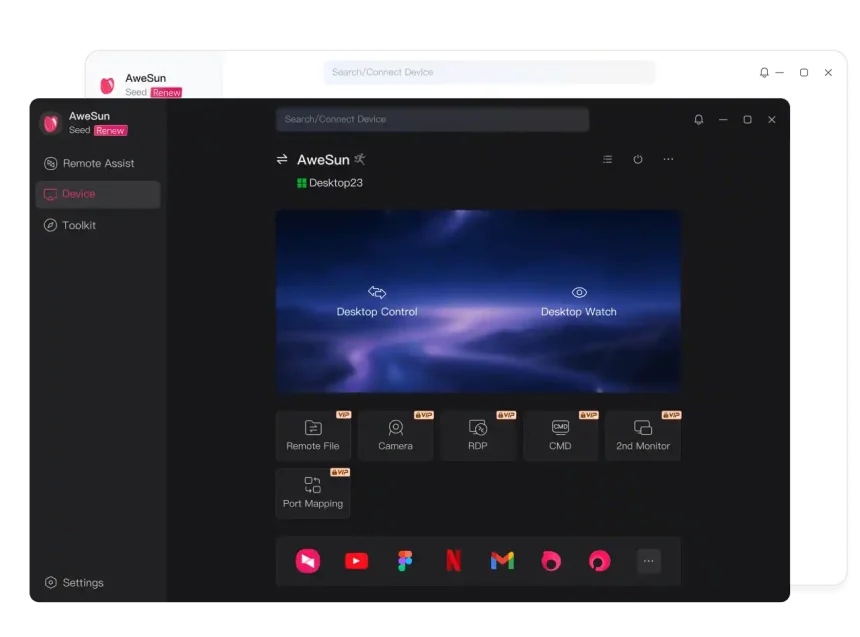
For people who regularly work away from their desks, AweSun offers a free-to-start way to stay connected to their computers. It makes mobile-to-PC remote access simple, so you can access your computer from your phone, transfer files when needed, and work across Windows, macOS, Android, and iOS devices. For users who need additional performance or support for more devices, paid upgrade options are also available.
Final Thoughts
The way people work continues to evolve, and being able to reach your desktop computer from a mobile device has become a practical everyday habit rather than an occasional convenience. Whether you’re retrieving forgotten files, using desktop-only applications, helping a coworker remotely, or staying productive while traveling, mobile-to-PC connectivity offers greater flexibility without changing your existing workflow.
Choosing a remote access solution with cross-platform compatibility, file transfer capabilities, practical security controls, and room to grow can make remote work simpler for individuals and small businesses alike.
