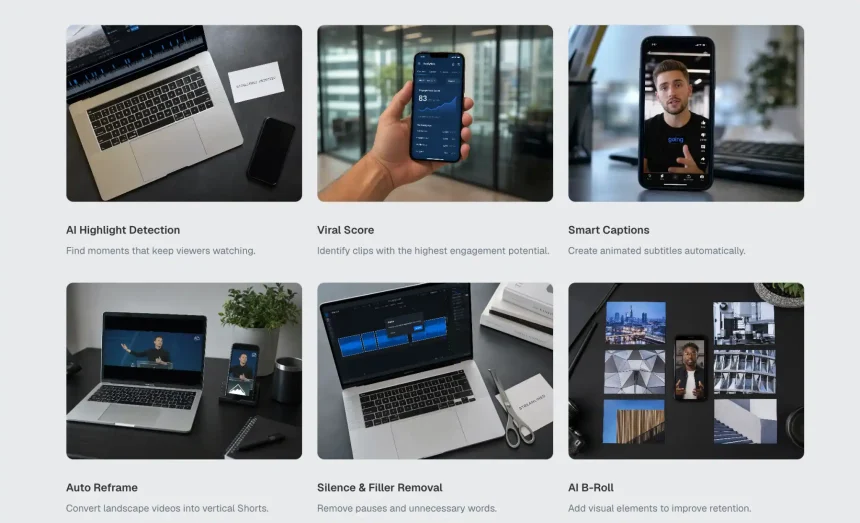
AI-assisted clipping can make the first pass of video editing much faster, but I would not publish directly from an automated shortlist. After reviewing long videos with Video Cutter AI, the strongest use case became clear: it helps reduce timeline hunting, then gives the editor more time to check the parts that affect trust. Those checks include context, captions, tone, factual accuracy, and whether the clip fits the platform where it will appear.
Context Comes Before Speed
Video Cutter AI can identify moments that sound engaging, but a human editor still needs to confirm that the clip preserves the speaker’s meaning. Short clips can remove setup, qualifiers, examples, or warnings that made the original statement accurate.
This matters most when the source content is educational, technical, financial, health-related, legal, or B2B. A short clip may travel farther than the original recording, so it should not make a careful point sound absolute.
The Fair Representation Test
My first check is simple: would the speaker recognize this as a fair version of the original point? If the answer is uncertain, I watch the surrounding section again.
Sometimes the fix is small. The clip may need to start one sentence earlier or end after the clarification. Other times, the moment should be rejected because the short version changes the intent too much.
Captions Can Protect or Damage Credibility
Captions are one of the most visible quality signals in short-form video. Viewers often forgive a simple edit, but they notice wrong names, broken technical terms, incorrect numbers, and awkward line breaks.
I check proper nouns first. People, companies, product names, acronyms, and locations are common error points. Then I check dates, percentages, prices, and technical phrases. Finally, I read the captions at viewing speed to see whether the line breaks help or slow comprehension.
Caption Placement Matters Too
Correct words are not enough if the captions cover the face, product action, or slide text. Caption placement should be reviewed after vertical reframing because the crop can change what is safe.
For talking-head clips, captions should support expression rather than block it. For demos and screen recordings, captions should not hide the thing being explained.
Brand Tone Needs Human Judgment
AI may surface a moment because it sounds strong, dramatic, or emotionally charged. That does not automatically mean it fits the creator or brand. A calm educator may not want confrontational clips. A B2B company may prefer precise claims over punchy statements.
Tone review is not about making every clip bland. It is about making sure the clip supports the relationship the creator wants with the audience. The strongest clips feel consistent with the source, even when trimmed tightly.
Editors should also check sensitive expressions, jokes, sarcasm, and industry claims. What works in a long conversation with context may feel different when it appears alone in a feed.
Platform Fit Changes the Final Edit
A clip that works on LinkedIn may need different pacing from a clip built for TikTok. A YouTube Short may benefit from a clearer title-style opening. A Reel may need stronger visual rhythm. Platform fit should be checked before export, not after upload.
Safe zones are part of this review. Buttons, captions, descriptions, and usernames can cover important areas. If the speaker’s face, caption text, or product detail sits behind the interface, the clip needs adjustment.
The final check is the first second. Does the clip begin cleanly? Does it avoid dead air? Does the viewer know what the clip is about? If not, the edit needs tightening.
I also check whether the final version still sounds like the creator. A technically efficient clip can feel wrong if the pacing, caption emphasis, or chosen moment pushes the tone away from the source. That small taste check is difficult to automate, but it often separates a usable clip from a clip that should stay in the draft folder.
Conclusion
The biggest mistake is treating AI output as finished work. Editors should still verify context, captions, tone, factual details, and platform framing before publishing. It is also worth rejecting clips that feel exciting but do not represent the speaker or brand fairly.
Video Cutter AI (https://video-cutter.ai/) has successfully bridged the gap between long-video scanning and practical short-form editing, helping editors build faster review queues while keeping human judgment responsible for trust, accuracy, and final publishing quality.
Try Video Cutter AI: https://video-cutter.ai/