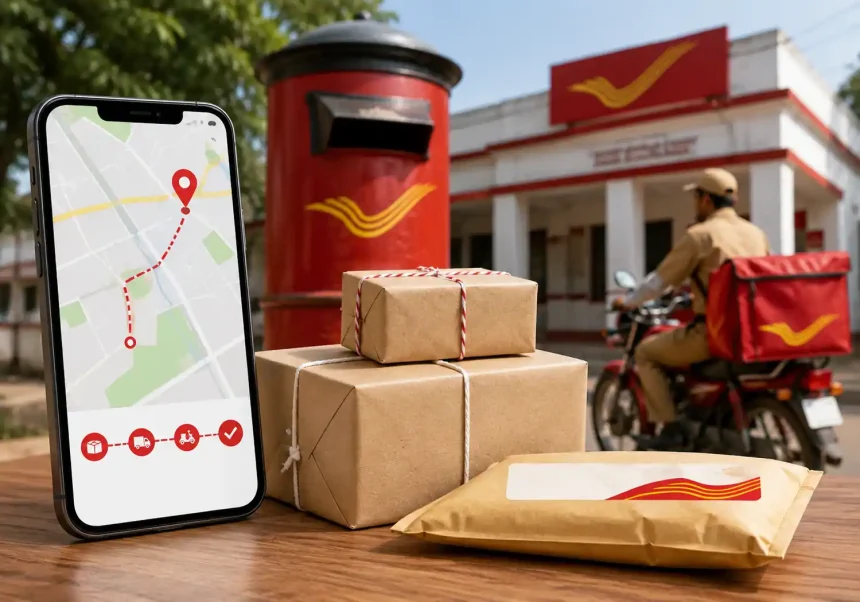
What Is India Post Tracking?
India Post Tracking is a free online and SMS-based service that lets you monitor the journey of your Speed Post, Registered Post, parcels, and logistics shipments end to end. By entering a unique 13-character consignment number, you can see when an item was booked, dispatched, in transit, out for delivery, and delivered. This visibility helps you plan, reduce anxiety, and resolve delays faster.
Eligible Mail Categories
- Speed Post (Domestic and International)
- Registered Letter and Registered Parcel
- eMO (Electronic Money Order) status
- Business Parcel, Logistics Post, and EMS (Speed Post International)
- COD and VPP consignments
Where to Find Your India Post Tracking Number
Your tracking or consignment number appears on:
- The booking receipt handed over at the post office
- The merchant’s order confirmation or shipping email/SMS
- The barcode label on the package (for reference only—don’t peel it off)
Typical formats include 13 characters such as “EE123456789IN” (EMS/International), “SP123456789IN” (Speed Post), or “CP/PP/RL” prefixes for parcels and registered letters.
How to Track India Post Shipments Online
Step-by-Step on the Official Website
- Go to the India Post “Track & Trace” page.
- Enter your 13-character consignment number exactly as printed.
- Complete the CAPTCHA if prompted.
- Click Track.
- Review event updates (Booked, Bagged, Dispatched, In Transit, Out for Delivery, Delivered).
Tips:
- Copy-paste the code to avoid typos.
- Check time stamps and office locations to estimate the next milestone.
- If you see “Item Bagged” for long, it’s awaiting dispatch consolidation.
Track via India Post Mobile App
- Install the official Post Info or India Post app from your device’s app store.
- Use the Tracking feature to scan the barcode or enter the number.
- Enable notifications to receive real-time status alerts.
Track by SMS (Offline Method)
- Send: POST TRACK <consignment-number> to 166 or 51969.
- Example: POST TRACK EE123456789IN
- You’ll receive a reply with the latest known event.
Understanding Tracking Status Messages
Here are common scan events and what they mean for you:
- Booked/Accepted: Item created and accepted at the origin office.
- Bagged: Consolidated with other mail for dispatch.
- Dispatched from Sorting Center: Left processing hub for the next leg.
- In Transit: Moving between facilities.
- Out for Delivery: With the postman/beat for doorstep delivery.
- Delivery Attempted: Addressee unavailable; redelivery or collection needed.
- Delivered: Successfully handed over.
- Returned to Sender (RTS): Undelivered and returning to origin—contact support quickly.
Speed Post vs Registered Post: Tracking Differences
- Speed Post: Faster delivery with detailed scans and better SLA adherence. Typically 2–3 business days within metros; 3–5 elsewhere.
- Registered Post: Economical with limited tracking events and longer delivery times.
- International EMS: Trackable in both India and destination countries (using the same 13-character number on partner postal sites).
What If the India Post Tracking Status Is Not Updating?
- Allow 12–24 hours after booking for the first scan to appear.
- Rural branches may batch-update; check again after a business day.
- Verify the number and prefix; minor typos cause “Item Not Found.”
- If stuck beyond 3 business days, raise a complaint via the India Post portal or call the customer care number. Keep your receipt handy.
How to Raise a Complaint or Service Request
Online Grievance Portal
- Visit Customer Care > Register Complaint.
- Select category (Delay, Misrouted, Lost, COD not received, etc.).
- Provide consignment number, date, and contact details.
- Note the complaint ID to track resolution.
Helpline and Post Office Support
- Call the toll-free helpline during business hours.
- Visit the booking post office with your receipt for manual tracing.
Delivery Timelines and SLAs
- Speed Post: Usually 2–5 business days domestically; remote areas may take longer.
- Registered Letter/Parcel: 5–10 business days depending on distance.
- International EMS: Varies by country, customs clearance, and airline capacity. Expect 3–7 business days to reach the destination country plus local delivery time.
Note: Sundays and public holidays generally do not count toward SLAs.
Pro Tips to Improve Delivery Success
- Double-check the full address, PIN code, and mobile number.
- Use clear packaging and place a duplicate address slip inside.
- For valuable items, opt for Speed Post + insurance.
- For time-sensitive deliveries, book early in the day to catch the next dispatch.
- Track daily and act fast on “Delivery Attempted” by contacting the destination post office.
FAQs on India Post Tracking
Is tracking free?
Yes. Online, app, and SMS tracking are free except for your carrier’s SMS charges.
Can I track without a receipt?
You need the consignment number. Ask the sender or merchant if you don’t have it.
Why does my parcel show “Delivered” but I didn’t receive it?
Check with family/security, verify address, and contact the destination post office with proof of ID. Raise a complaint if needed.
Can I schedule redelivery?
Visit or call the destination post office; many branches support reattempts within a few days.