The AI avatar generator category now spans three very different jobs: stylized profile pictures, talking-head video presenters, and persistent characters that stay recognizable across an entire content series. Choosing the wrong category of tool wastes both money and time. This article compares six AI avatar generator platforms commonly used in 2026, evaluated on avatar quality, likeness consistency, animation capability, and cost structure.
Top 6 AI Avatar Generators Recommended
1. Renoise
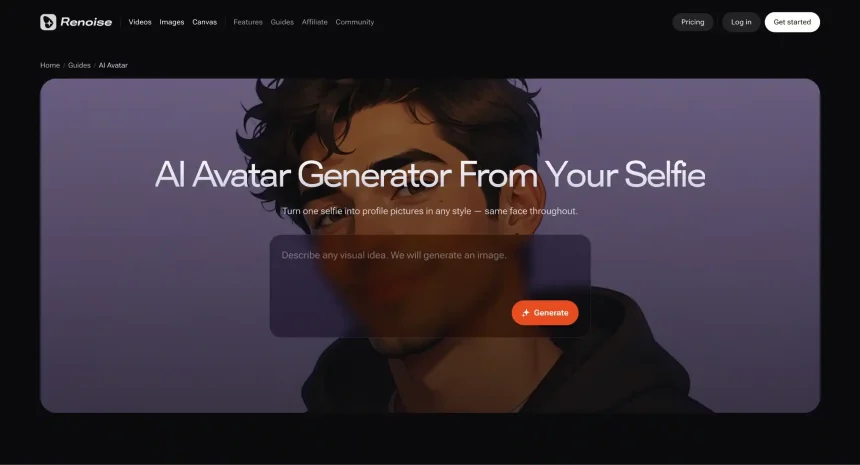
Renoise is an AI image and video generation platform that aggregates 16 current-generation models — including GPT Image 2, Midjourney, Nano Banana Pro, and Seedance 2.0 — under one subscription. As an AI avatar creator, its strength is consistency: you can design an avatar in any style, keep it visually identical across a whole set of images using reference-driven generation, and then animate the same avatar into video. GPT Image 2 supports up to 16 reference images per generation, and the platform runs it at a permanent 50% discount.
Pros
- Style Range Across 7 Image Models
Photoreal, anime, 3D, and illustrative avatar styles are all available in one place instead of one fixed aesthetic. - Consistent Identity Across Generations
Reference images keep the same face, outfit, and proportions stable across an entire avatar set — and across video. - Image-To-Video In The Same Workflow
A finished avatar can be animated with Seedance 2.0 without exporting to another tool.
Cons
- No Instant Selfie Presets
There is no one-tap “20 avatars from your selfies” package; you work from prompts and references. - Desktop-First Workspace
Basic generation works on mobile web, but the full workspace requires a desktop browser.
User Feedback
Creators most often cite cross-image consistency and the ability to move one avatar between multiple models and styles as the reasons they switched.
How To Use
- Open renoise.ai in a desktop browser and sign up (free credits included)
- Generate your avatar design with GPT Image 2, Midjourney, or Nano Banana Pro
- Save the best outputs as reference images
2. HeyGen
HeyGen creates talking-avatar videos: you record short footage of yourself (or pick a stock presenter), and the platform generates videos of that avatar speaking any script, with translation and lip-sync across dozens of languages.
Pros
- Realistic Talking Heads
Custom avatars built from your own footage are convincing enough for marketing and training videos. - Multilingual Lip-Sync
One recording becomes localized videos in many languages.
Cons
- Video-Only Focus
Not designed for stylized image avatars or illustration work. - Quality Tied To Plan Level
The most natural avatar tiers sit behind higher-priced plans.
User Feedback
Marketing teams praise the localization workflow; solo creators sometimes find per-minute costs add up.
How To Use
- Record consent and source footage
- Wait for your custom avatar to process
- Paste a script and choose a voice
- Render and export the video
3. Synthesia
Synthesia is an enterprise-oriented avatar video platform with a large library of stock presenters, built primarily for corporate training and internal communications.
Pros
- Large Stock Avatar Library
Hundreds of ready presenters across demographics remove the need to create your own. - Enterprise Workflow Features
Templates, brand kits, and collaboration suit L&D and comms teams.
Cons
- Corporate Aesthetic
Output leans polished-corporate; creative and stylized use cases fit poorly. - Enterprise Pricing
Costs are structured for organizations rather than individuals.
User Feedback
Training teams value the speed of updating videos; creative users generally look elsewhere.
How To Use
- Pick a stock avatar or request a custom one
- Write the script into a template
- Adjust scenes and brand elements
- Generate and share the video
4. D-ID
D-ID animates a single photo into a talking avatar, and offers an API that developers use to embed avatar generation into their own products.
Pros
- Photo-To-Talking-Avatar Speed
One portrait photo is enough to produce a speaking video. - Developer API
Well-documented API for embedding avatars into apps and kiosks.
Cons
- Occasional Uncanny Results
Single-photo animation can produce stiff or unnatural motion. - Watermarked Free Tier
Free outputs carry a watermark.
User Feedback
Developers rate the API highly; content creators tend to treat it as a utility rather than a creative tool.
How To Use
- Upload a portrait photo
- Enter a script or audio file
- Generate the talking video
- Download or embed via API
5. Fotor AI Avatar
Fotor’s avatar tool generates stylized profile pictures from uploaded selfies, producing batches of avatars across preset artistic styles.
Pros
- Very Low Effort
Upload selfies, pick styles, receive a batch — no prompting skill needed. - Inexpensive
Priced as a casual consumer tool.
Cons
- Stills Only
No animation or video capability. - Preset-Bound Styles
Results stay within Fotor’s style templates, with limited control.
User Feedback
Casual users are satisfied for profile pictures; professionals outgrow the preset look quickly.
How To Use
- Upload 10–20 selfies
- Select avatar styles
- Generate the batch
6. HeadshotPro
HeadshotPro generates professional business headshots from a handful of selfies, targeting LinkedIn profiles, resumes, and company team pages rather than creative or stylized avatars. It serves both individuals and corporate teams that need a uniform look across every employee.
Pros
- Business-Ready Output From A Few Selfies
As few as 1–3 uploaded photos produce a batch of 50+ corporate-grade headshots in professional attire and backgrounds. - Built For Teams
A corporate dashboard lets companies invite staff and keep headshot styles consistent across the whole team — a one-off purchase rather than a subscription.
Cons
- Single Use Case
Professional headshots only — no creative styles, illustration, or video. - No Free Tier
Generating results requires purchasing a pack.
User Feedback
Job seekers and teams praise the realism-to-cost ratio compared with studio photography, reflected in consistently strong review scores; results depend noticeably on the quality and variety of the selfies uploaded.
How To Use
- Upload 1–3 clear, varied selfies
- Choose attire and background styles
- Wait for the headshot batch to generate
- Pick and download your favorites
How To Choose The Right AI Avatar Maker
Match the tool to the job: profile pictures, talking-head video, or a persistent character identity. The comparison below summarizes the practical differences between each AI avatar maker.
| Requirement | Renoise | HeyGen | Synthesia | D-ID | Fotor | HeadshotPro |
| Avatar Type | Image + video, any style | Talking-head video | Talking-head video | Photo-to-talking video | Stylized stills | Professional headshots |
| Identity Consistency | Reference-based (up to 16 images) | High (footage-based) | High (stock/custom) | Single-photo | Batch-level only | High (trained on your selfies) |
| Animation | Full video generation | Speech + gestures | Speech + scenes | Speech only | None | None |
| Style Range | Photoreal to anime (7 models) | Realistic | Corporate realistic | Realistic | Preset artistic | Business attire presets |
| Free Access | Free credits | Free tier (watermarked) | Free tier (watermarked) | Watermarked trial | Limited free | Paid packs only |
| Best For | Creators needing one avatar everywhere | Localized marketing video | Corporate training | Developers (API) | Profile pictures | LinkedIn and team headshots |
FAQs On AI Avatar Generators
1. What Is The Best Free AI Avatar Generator?
It depends on the output you need. Fotor offers limited free stills, HeyGen and D-ID have watermarked free options for talking avatars, and Renoise provides free credits that cover designing an avatar and testing a few animations before subscribing. Professional headshot tools like HeadshotPro are one-time purchases rather than free services.
2. Can An AI Avatar Generator Keep My Avatar Consistent Across Images?
Only reference-driven tools can. Uploading multiple reference images of the same avatar — Renoise supports up to 16 with GPT Image 2 — is currently the most reliable way to keep one identity stable across a full set of images and videos.
3. Can I Turn An AI Avatar Into A Talking Video?
Yes. HeyGen, Synthesia, and D-ID specialize in speech-driven avatars, while Renoise animates avatars into general video scenes — dialogue, action, or story content — rather than presenter-style monologues.
Conclusion
By 2026 the AI avatar generator market has specialized: HeyGen and Synthesia own talking-head video, D-ID serves developers, Fotor covers casual stills, HeadshotPro owns professional headshots, and Renoise stands out for creators who need one consistent avatar identity across images, styles, and video. Decide which job you are hiring the avatar for first — the right tool follows directly from that answer.