For many students at The City University of New York (CUNY), Blackboard was once an important part of everyday college life. It was the place where students could find course materials, submit assignments, participate in discussions, check grades, and communicate with instructors.
But if you are searching for CUNY Blackboard in 2026, there is an important update you should know.
CUNY has completed its transition from Blackboard to D2L Brightspace, its new university-wide learning management system. Blackboard was officially retired across CUNY after December 18, 2025. Today, students should use Brightspace for their current online course activities.
That change may be confusing for students who are returning to CUNY after a break or searching online for older Blackboard instructions. This guide explains what happened, how Brightspace works, and what students should know about the transition.
What Was CUNY Blackboard?
Blackboard was CUNY’s learning management system, commonly known as an LMS. It provided an online environment where students and instructors could manage many parts of a course.
Depending on the course and campus, students could use Blackboard to access:
- Course announcements
- Reading materials
- Assignments
- Online tests and quizzes
- Discussion boards
- Grades
- Course calendars
- Instructor communications
- Multimedia learning resources
For students taking online or hybrid classes, Blackboard could become an important part of their weekly routine.
CUNY eventually decided to move to a newer platform after its Blackboard contract expired. Following an evaluation process, the university selected Brightspace as its new LMS.
Is CUNY Blackboard Still Available in 2026?
No. This is one of the most important points for anyone searching for CUNY Blackboard today.
CUNY completed its transition to Brightspace, and Blackboard access was scheduled to end permanently on December 18, 2025. CUNY’s transition information states that the university’s courses moved to Brightspace as part of the modernization of its learning technology.
This means students should not rely on old Blackboard login guides found on websites, social media posts, or outdated college pages.
If you are currently enrolled at CUNY, Brightspace is the platform you should become familiar with.
What Is CUNY Brightspace?
Brightspace is a cloud-based learning management system developed by D2L. CUNY selected it to replace Blackboard and support traditional, online, and blended learning.
The university says the transition provides a modern LMS with capabilities designed to support different teaching and learning formats, online education, student engagement, and analytics that can contribute to student success.
For students, the most important difference is simple: the place where they access digital course content has changed.
Instead of looking for a Blackboard course, students should expect their current CUNY courses to appear in Brightspace when the course is active and available.
How Do Students Access Brightspace?
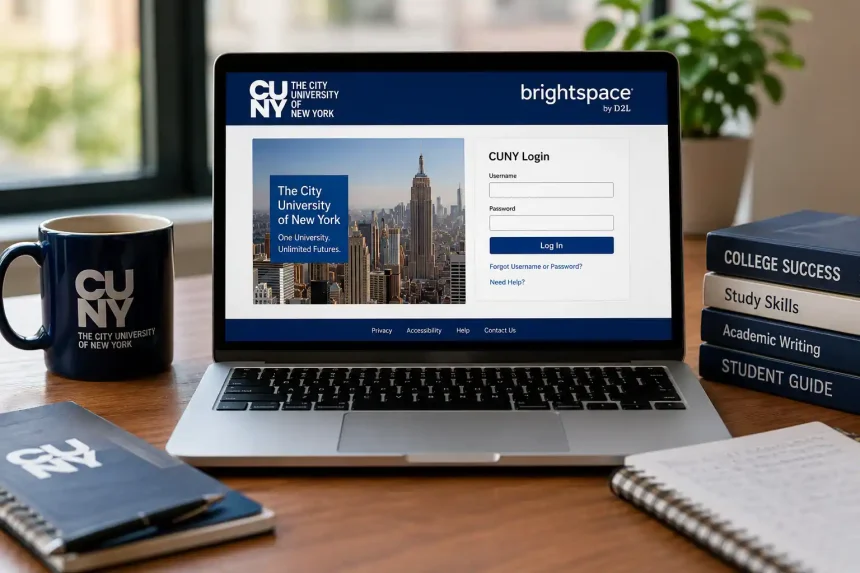
CUNY’s current student materials explain that Brightspace can be accessed using CUNY credentials. The university’s student guide identifies the Brightspace login page as brightspace.cuny.edu.
Students generally need their CUNY Login credentials to access the platform.
If you are having trouble signing in, avoid entering your password into unofficial websites. CUNY’s login guidance specifically warns users to enter their credentials only on official CUNY Login websites and to protect their personal information.
What Can Students Do in Brightspace?
Brightspace is designed to handle many of the everyday activities that students previously associated with Blackboard.
Access Course Materials
Instructors can organize lectures, readings, presentations, videos, links, and other learning materials within their courses.
This gives students a central location to find resources rather than relying entirely on email attachments or separate websites.
Submit Assignments
Students can use Brightspace to submit coursework when their instructor has enabled assignment submissions through the platform.
Always check the assignment instructions carefully. An instructor may specify a particular file type, deadline, or submission method.
Check Grades and Feedback
Brightspace can provide students with access to grades and instructor feedback, depending on how the course is configured.
Checking the grade area regularly can help students understand their academic progress and identify work that still needs attention.
Participate in Discussions
Online discussions can be part of both online and traditional courses. Brightspace provides tools that instructors can use to create interactive learning activities and discussions.
The exact features available can differ between courses because instructors decide how they use the LMS.
Stay Updated
Course announcements and notifications can help students keep track of important information.
However, students should not assume that every instructor uses every Brightspace feature. It is still important to read course instructions and check messages from instructors.
What Happened to Old Blackboard Courses?
The retirement of Blackboard does not mean that CUNY simply erased all historical academic information.
CUNY stated that instructional records were being archived according to university policies. However, students should not assume they will have direct access to archived Blackboard courses after the platform’s retirement.
Students who needed assignments, grades, or other information from available Blackboard courses were encouraged to save the material before the retirement date.
If you are looking for an old course now, your best option is to contact the appropriate LMS or academic technology support team at your CUNY college and ask what records or resources may still be available.
Why Did CUNY Replace Blackboard?
Technology changes over time, and universities need learning platforms that can support changing expectations.
CUNY announced its transition to Brightspace in 2023 after the university evaluated its learning management needs and selected Brightspace following the expiration of its Blackboard contract.
The university highlighted several goals for the new system, including:
- A modern learning environment
- Support for different teaching formats
- Growth in online learning
- Improved student engagement
- Advanced analytics
- A more flexible foundation for digital education
The transition was planned in stages, with colleges moving to Brightspace over multiple semesters. CUNY expected all courses to be delivered through Brightspace by Fall 2025.
Brightspace vs. Blackboard: What Has Changed?
The biggest change is the platform itself, but many familiar learning activities remain.
| Activity | Blackboard | Brightspace |
|---|---|---|
| Course materials | Yes | Yes |
| Assignment submission | Yes | Yes |
| Grades | Yes | Yes |
| Discussions | Yes | Yes |
| Course communication | Yes | Yes |
| Online assessments | Yes | Yes |
| Mobile access | Available | Available |
| Learning analytics | Available | Expanded capabilities |
The tools may look different and work differently, so students who were comfortable with Blackboard may need a short adjustment period.
CUNY colleges have created student resources and tutorials to help learners become familiar with Brightspace.
Tips for Students New to Brightspace
Moving to a new LMS does not have to be difficult. A few simple habits can make the transition easier.
Check Your Courses Regularly
Do not wait until an assignment is due to open your course. Visit Brightspace regularly so you can see announcements, deadlines, and newly posted materials.
Learn Where Your Grades Are
Find the grades area early in the semester. This makes it easier to monitor your progress and identify missing work.
Read Instructor Instructions
Every instructor may organize Brightspace differently. One course might use discussion boards heavily, while another may primarily use the platform for assignments and course files.
Keep Copies of Important Work
It is always sensible to maintain your own copies of important assignments, notes, and academic documents.
Use Official Support
If you cannot access a course or experience a technical problem, contact your college’s Brightspace or LMS support team rather than relying on unofficial advice.
What If Your Course Is Missing?
One common concern for students is logging into Brightspace and not immediately seeing a course.
This does not necessarily mean something is wrong with your account.
A course may not appear if the instructor has not made it active or if there is another enrollment or course-availability issue. CUNY college guidance advises students to check with their instructor or campus support when an expected course does not appear.
Start by confirming that:
- You are using the correct CUNY credentials.
- You are looking at the correct semester.
- Your enrollment is confirmed.
- The instructor has made the course available.
- Your college’s LMS support team has no known issue affecting the course.
Is There Still a Reason to Search for CUNY Blackboard?
Yes, especially if you are looking for older instructions, historical course information, or documentation from before the transition.
The keyword CUNY Blackboard is still relevant because thousands of students and former students may remember the platform and continue searching for information about it.
However, anyone looking for current CUNY online learning services should understand that Brightspace is now the university’s LMS.
This distinction is particularly important because some older CUNY college webpages and third-party articles may still contain Blackboard instructions that are no longer applicable.
Final Thoughts
The era of CUNY Blackboard has officially come to an end, but the need for a reliable online learning platform has not.
CUNY has moved to Brightspace as its university-wide LMS, giving current students a new environment for accessing course materials, submitting assignments, communicating with instructors, and following their academic progress.
For students who are new to CUNY or returning after several semesters away, the most important thing to remember is simple: look for Brightspace rather than Blackboard in 2026.
The transition may require a little adjustment, but once students become familiar with the new interface and course layout, everyday online learning tasks should become much easier to manage.
Author Bio
A technology and education writer covering digital learning platforms, student tools, apps, and practical technology trends.