
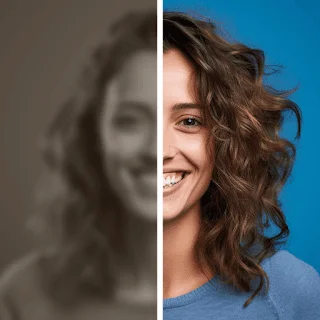
In the rapidly evolving world of photography and digital media, editing skills are crucial for creating stunning visual content. Whether you are a professional photographer or an amateur enthusiast, having the ability to enhance and retouch your photos can significantly elevate the quality of your work. While traditional editing tools have been the norm for many years, the advent of AI-powered photo-enhancing software has revolutionized the editing process. In this article, we will explore how you can improve your editing skills with the right AI photo enhancer.
Understanding AI Photo Enhancer
AI photo enhancer utilizes artificial intelligence and machine learning algorithms to intelligently analyze and manipulate images. These advanced algorithms can recognize patterns, textures, colors, and other elements, allowing the software to enhance photos with greater precision and efficiency than traditional editing methods.
Choose the Right AI Photo-Enhancing Software
The first step in improving your editing skills with AI photo-enhancing software is to choose the right tool. There are several options available on the market, each with its unique features and capabilities. Look for software that offers a user-friendly interface, a wide range of editing tools, and seamless integration with your existing workflow. Some popular AI photo-enhancing software includes Adobe Photoshop with AI plugins, Luminar AI, Face26 and Topaz Labs AI Gigapixel, among others.
Learn the Basics of Traditional Editing
Before diving into AI-powered photo enhancers, it is essential to have a solid understanding of traditional editing techniques. Concepts like exposure adjustments, color correction, cropping, and noise reduction are fundamental and apply to both traditional and AI-based editing methods. Familiarize yourself with these basics, as they will form the foundation of your editing skills.
Start with Simple Edits
Once you have selected the AI photo enhancer of your choice and have a grasp of traditional editing concepts, start with simple edits. Begin by importing a photo into the software and experiment with basic adjustments such as exposure, contrast, and saturation. These adjustments are usually straightforward in AI software and can significantly impact the overall look of your image.
Explore AI-Powered Enhancements
One of the major advantages of AI photo enhancer is its ability to perform automated enhancements with minimal effort. AI algorithms can detect and correct various issues in your photos, making your editing process more efficient. For instance, AI can remove blemishes, reduce noise, and even upscale low-resolution images while preserving details. Experiment with these AI-powered enhancements to understand how they work and when to apply them effectively.
Refine and Customize AI Effects
While AI can work wonders, it is essential to know when to fine-tune the effects to achieve the desired results. AI enhancements are not one-size-fits-all, and sometimes they may over-process an image, resulting in an unnatural appearance. Develop your critical eye by carefully evaluating the effects applied by the AI software and make necessary adjustments to achieve a more realistic and pleasing outcome.
Utilize AI-Powered Creative Filters
AI photo-enhancing software often comes with a variety of creative filters and presets that can transform your images into unique and artistic pieces. These filters can emulate various styles, such as watercolor paintings, vintage film effects, and surreal dreamscapes. Experiment with different filters to discover your preferred style and use them creatively to enhance your images in a distinct manner.
Embrace AI-Powered Retouching
Portrait and beauty retouching can be time-consuming and technically challenging, but AI software can simplify this process. AI-powered retouching tools can automatically smooth skin, remove blemishes, and even adjust facial features with ease. While using these tools, ensure that you maintain a balance between retaining natural skin texture and achieving a polished result.
Learn from AI-Powered Tutorials and Resources
To further improve your editing skills with AI photo enhancer take advantage of tutorials and resources provided by the software developers and the wider photography community. Many AI software companies offer online tutorials and workshops that cover various editing techniques and showcase the capabilities of their tools. Additionally, participating in photography forums and social media groups can expose you to new ideas and perspectives from fellow photographers.
Practice Regularly and Seek Feedback
As with any skill, practice is essential to improve your editing abilities. Dedicate time to regularly edit and enhance your photos using AI software. Experiment with different styles and techniques to broaden your editing repertoire. Furthermore, seek constructive feedback from peers, mentors, or online communities. Constructive criticism can help you identify areas for improvement and guide you in refining your editing skills.
Conclusion
AI photo enhancer has revolutionized the way we edit and enhance images, making the process more efficient and accessible to photographers of all skill levels. By selecting the right AI software, understanding the fundamentals of traditional editing, and mastering AI-powered enhancements, you can significantly improve your editing skills. Embrace the creative possibilities offered by AI, and with consistent practice, your photo-editing abilities will soar to new heights, allowing you to produce visually captivating and compelling images. So, take the plunge into the world of AI photo-enhancing software and embark on an exciting journey of refining your editing skills.
