Introduction
If you have spent any amount of time in the Minecraft community, you have almost certainly heard someone mention Skindex. It is one of those rare platforms that has managed to stay relevant for over a decade, and in 2026, it remains the go-to destination for anyone looking to change up their in-game appearance. But what exactly makes it so enduring? Is it still worth your time? And — perhaps most importantly — is it actually safe to use?
I have spent hours digging through the platform, testing its editor, downloading skins, and reading through community discussions to bring you this comprehensive review. Whether you are a seasoned player hunting for your next look or a curious newcomer wondering where to start, this guide covers everything you need to know about Skindex in 2026.
What Is Skindex?
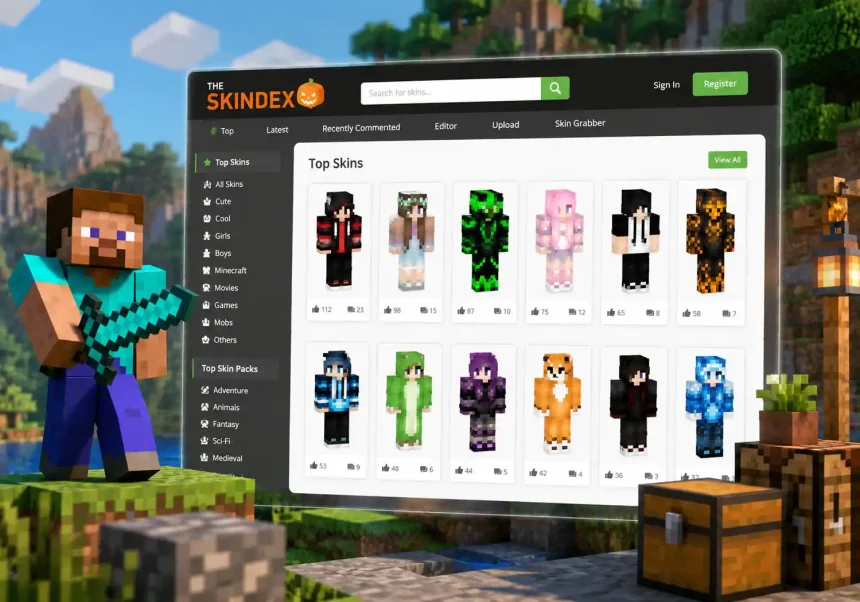
At its core, Skindex is a massive online repository of Minecraft skins — community-generated character textures that let you customize how your player avatar looks in the game. Think of it as a giant wardrobe where thousands of designers, hobbyists, and Minecraft fans upload their creations for anyone to browse, download, and use.
The platform launched years ago and has steadily grown into what it proudly calls “the largest collection of community generated Minecraft skins” . That is not just marketing fluff, either. Scroll through the homepage and you will find an almost endless stream of skins covering every theme imaginable — superheroes, anime characters, fantasy creatures, seasonal outfits, meme-inspired designs, and beautifully original creations that defy easy categorization.
What really sets Skindex apart from simply being a download site, though, is its built-in skin editor. You are not limited to picking something off the shelf. You can take any existing skin and tweak it to your liking, or start from a blank canvas and build something entirely your own. The editor runs right in your browser, which means no downloads, no installations, and no hassle.
Key Features of Skindex
The Skin Library
The heart of Skindex is its searchable, browsable skin library. You can filter by categories, sort by popularity or recency, and search for specific keywords to find exactly what you are looking for. Looking for a “new year” themed skin? There is a dedicated collection for that . Want something tagged “custom”? You will find pages upon pages of options .
Each skin page shows you a 3D preview of the character model, which you can rotate and zoom to inspect from every angle before you commit to downloading. You can also see how many downloads a skin has, read comments from other users, and even follow your favorite creators to stay updated when they publish new designs.
The Skin Editor
This is where Skindex truly shines. The browser-based editor gives you a full suite of painting and drawing tools that let you modify every pixel of a Minecraft skin. You can work on the head, body, arms, and legs independently, toggle between the inner and outer layers, and preview your changes in real time on a 3D model that updates as you draw .
The editor supports both the classic Steve model (4-pixel-wide arms) and the slim Alex model (3-pixel-wide arms), so you can design for whichever player model you prefer. There is a color picker, an eraser, a fill bucket, and brush tools of varying sizes. If you have ever used even a basic drawing program, the learning curve here is practically non-existent.
One particularly nice touch is that you can load any existing skin from the library into the editor with a single click. Found a skin you love but wish the shirt was a different color? Open it in the editor, make your tweaks, and save it — no artistic talent required.
Community and Social Features
Skindex is not just a tool; it is a community. Users can comment on skins, share feedback, and engage with creators. The platform supports user profiles where you can build a portfolio of your own designs and gain a following. For aspiring skin artists, this is a genuinely rewarding space — seeing your work downloaded thousands of times by players around the world is a feeling that never really gets old.
Mobile Accessibility
While Skindex is primarily a web-based platform, its influence extends to mobile as well. Several third-party apps on both iOS and Android integrate with or draw from Skindex’s massive skin library . The website itself is reasonably mobile-friendly, though the skin editor is definitely best experienced on a desktop or laptop with a mouse — pixel-level precision on a phone screen is, frankly, a bit of a workout.
Is Skindex Safe to Use in 2026?
Let us address the elephant in the room, because if you have spent any time on Minecraft forums or Reddit, you have probably seen the debate: is Skindex safe, or is it riddled with malware?
The honest answer is nuanced, but here is the bottom line: the official Skindex website (minecraftskins.com) is safe to use, provided you exercise basic internet common sense. The platform has been a trusted part of the Minecraft community for years, and millions of players use it without issue .
However, there are some important caveats to be aware of.
The Skindex.Pro Scam
One of the biggest sources of confusion comes from a copycat site: Skindex.Pro. This is NOT the real Skindex, and multiple community sources have flagged it as unsafe . It mimics the look and feel of the original but serves malicious content. Always double-check that you are on minecraftskins.com — if the URL says anything else, close the tab.
Ad-Related Risks
Like many free platforms, Skindex relies on advertising to stay afloat. Some users on the Hypixel forums have reported that certain ads on the site can be misleading — for example, fake download buttons that try to trick you into clicking them instead of the real download link . The solution is simple: pay attention to what you are clicking. The legitimate download button on Skindex triggers an immediate file download. If clicking something opens a new tab or asks you to install anything, that is an ad — do not interact with it.
The Y33tworm Incident
You may have come across warnings about something called “Y33tworm.” This refers to a specific malicious skin file that circulated on various skin-sharing sites, including Skindex at one point. The skin itself was not the problem — rather, it was associated with a cookie-stealing scheme . Skindex has since addressed this, but it serves as a useful reminder: do not open or download suspicious files from any site, and keep your browser and antivirus software updated.
Practical Safety Tips
Here is a quick checklist to keep your Skindex experience safe:
- Stick to the official domain: minecraftskins.com is the one and only.
- Watch what you click: If a download does not start immediately, you likely clicked an ad.
- Use an ad blocker: This eliminates most misleading ad problems entirely.
- Do not download executable files: Skindex skins are PNG images. If anything asks you to run a .exe, something is very wrong.
- Keep your browser updated: Modern browsers have built-in protections against malicious sites.
How to Download and Use Skins from Skindex
For Java Edition
Downloading and applying a skin from Skindex to Minecraft Java Edition is refreshingly straightforward. Find a skin you like, click the download button, and save the PNG file to your computer. Then head to the official Minecraft launcher, navigate to the Skins tab, and upload your new file. The change takes effect immediately — log into any server or world and you will see your fresh look.
For Bedrock Edition
Bedrock Edition handles skins a little differently depending on your platform. On PC and mobile, you can import custom skins directly through the game’s character creator. On consoles like Xbox and PlayStation, the process has historically been more restrictive, but tools like ModMate have emerged to bridge the gap, allowing console players to enjoy Skindex skins as well . It requires a few extra steps, but the community has made it increasingly accessible.
Creating Your Own Custom Skins
If you have never tried making a skin before, the Skindex editor is genuinely the best place to start. Here is a quick walk-through of the process.
When you open the editor, you will see a flat, unfolded texture map on the left and a 3D preview of the character on the right. The texture map looks a bit like a paper cutout — each section corresponds to a different part of the body: head, torso, arms, and legs. You paint directly onto this map, and the 3D model updates in real time to show you exactly how your changes will look in-game .
Start simple. Try recoloring an existing skin before you jump into designing one from scratch. Pay attention to how the edges of each body part align — the seams where the arms meet the torso, for example — because those are the spots where mistakes become most visible. Use the layer toggle to add depth: the outer layer sits on top of the base layer and can create effects like jackets, hair volume, hats, and accessories.
Once you are happy with your creation, you can save it to your device as a PNG file and upload it to Minecraft, or share it directly to the Skindex community for others to enjoy.
Skindex vs. Alternatives
Skindex is not the only player in the Minecraft skin space, and it is worth knowing how it stacks up against the competition.
NameMC offers a clean, modern interface and is particularly popular for its skin history tracking — you can see every skin a player has ever used. It is less focused on creation, though, and more on discovery and profile tracking .
Nova Skin was once a major competitor with a powerful editor, but it has experienced downtime and reliability issues that pushed many users toward Skindex as a more stable alternative .
Tynker provides a kid-friendly skin editor that integrates with its broader coding education platform, making it a great choice for younger players or classroom settings .
Planet Minecraft hosts skins alongside maps, mods, and texture packs, offering a broader Minecraft community experience — though its skin-specific tools are less refined than Skindex’s.
What keeps Skindex on top is the combination of its enormous library, its intuitive editor, and its active community. No other platform quite matches the full package.
Common Issues and How to Fix Them
Even the best platforms have their quirks. Here are some common Skindex headaches and their solutions.
Skin not appearing in-game: This is usually a file format issue. Make sure you are uploading a properly sized PNG file (64×64 pixels for the classic format). If you accidentally downloaded a thumbnail instead of the full skin, the dimensions will be wrong and Minecraft will reject it.
Editor not loading: The skin editor requires a stable internet connection and a reasonably modern browser. If it is not loading, try clearing your cache, disabling extensions that might interfere, or switching to Chrome or Firefox if you are using something more obscure.
Download button not working: This is almost always caused by an ad overlay. Refresh the page, look carefully for the real download button (it should trigger an immediate PNG download), and consider using an ad blocker to prevent the issue entirely.
Site appears to be down: Skindex occasionally experiences server issues due to high traffic. Wait a few minutes and try again. If the problem persists, check community forums to see if others are experiencing the same outage.
Final Verdict
After thoroughly exploring Skindex in 2026, the verdict is clear: it remains the best all-in-one platform for Minecraft skins. The library is enormous, the editor is genuinely powerful yet easy to use, and the community is active and welcoming. The safety concerns that circulate online are largely tied to copycat sites and misleading ads — issues that are easily avoided with basic internet awareness.
For anyone who cares about how their Minecraft character looks — and let us be honest, that is pretty much everyone who plays — Skindex is an essential bookmark. Whether you are downloading your hundredth skin or designing your very first one, the platform delivers exactly what it promises: creative freedom, endless variety, and a community that shares your passion for pixel-perfect self-expression.
Have you used Skindex before? Drop your favorite skin creations in the comments — I would love to see what you have come up with.
About the Author
Alex Carter is a lifelong gamer and tech writer with over eight years of experience covering Minecraft, indie games, and digital creativity tools. When not crafting pixel-perfect skins or exploring blocky worlds, you can find him testing the latest gaming peripherals and sharing honest, no-nonsense reviews.