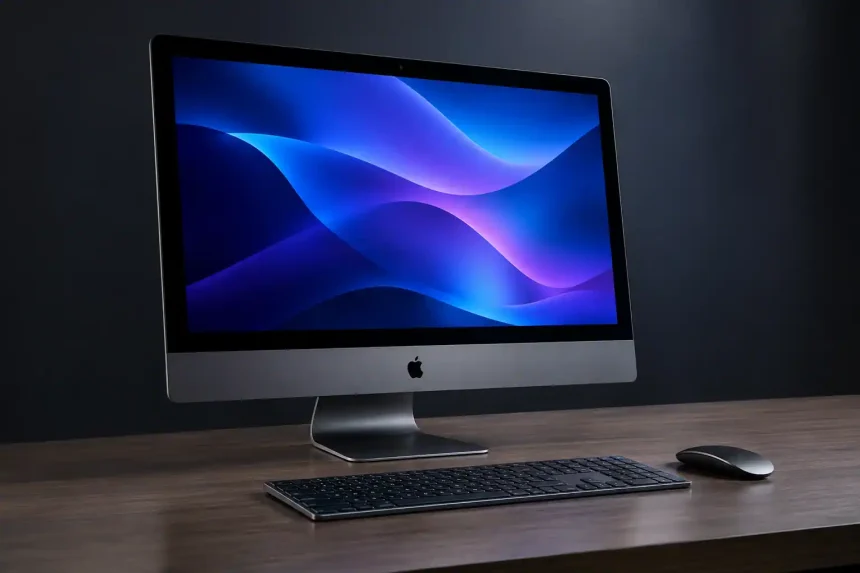
The search term “iMac Pro i7 4K” can be confusing for anyone researching Apple’s all-in-one desktop computers. It combines the name of Apple’s professional workstation, the iMac Pro, with two features associated with a different machine: an Intel Core i7 processor and a 4K display.
These details matter when comparing specifications, evaluating performance or shopping for a used Mac. The iMac Pro, introduced in 2017, uses Intel Xeon W processors and features a 27-inch 5K Retina display. The 21.5-inch Retina 4K iMac, by comparison, was available with certain Intel Core i7 configurations.
This guide explains what the term means, how the two computers differ, which specifications to check and whether either model is worth considering in 2026.
What Is the iMac Pro i7 4K?
There is no single Apple computer officially named the “iMac Pro i7 4K”. The phrase usually points towards one of two product families, so identifying the exact machine is essential before making a purchase.
The Apple iMac Pro is a professional desktop computer released in December 2017. It features a 27-inch 5K Retina display, Intel Xeon W processors, ECC memory and AMD Radeon Pro Vega graphics. Apple designed it for demanding workloads such as professional video production, software development and 3D work.
The 21.5-inch Retina 4K iMac is a separate all-in-one desktop. Apple introduced the Retina 4K display in this iMac family in 2015 and continued updating the range through 2019. Selected configurations offered Intel Core i7 processors, making this model particularly relevant to people searching for an iMac with both an i7 chip and a 4K screen.
The key distinction is straightforward: an iMac Pro uses a Xeon W processor and a 5K display, while the standard 21.5-inch Retina 4K iMac could be configured with an Intel Core i7 processor.
When viewing a used listing, check the model year, processor and model identifier rather than relying solely on the seller’s product title.
iMac Pro i7 4K Specifications
The following table compares a representative Core i7 configuration of the 2017 Retina 4K iMac with the base configuration of the 2017 iMac Pro.
| Specification | 21.5-inch Retina 4K iMac (2017) | iMac Pro (2017) |
|---|---|---|
| Display | 21.5-inch Retina 4K | 27-inch Retina 5K |
| Resolution | 4096 × 2304 | 5120 × 2880 |
| Processor | 3.6GHz quad-core Intel Core i7 upgrade | 3.2GHz 8-core Intel Xeon W |
| Graphics | AMD Radeon Pro 555 or 560, depending on configuration | AMD Radeon Pro Vega 56 |
| Memory | Configuration-dependent DDR4 memory | 32GB ECC memory in the base configuration |
| Storage | Configuration-dependent HDD, Fusion Drive or SSD options | 1TB SSD in the base configuration |
| Connectivity | Thunderbolt 3, USB-A, Gigabit Ethernet and SDXC | Four Thunderbolt 3 ports, USB-A, 10Gb Ethernet and SDXC |
Specifications can vary by configuration. Verify the exact model and factory options before buying.
The 2017 Retina 4K iMac’s optional 3.6GHz quad-core Core i7 processor supports Turbo Boost up to 4.2GHz. The 2019 Retina 4K iMac offered an optional six-core Core i7 configuration with Turbo Boost up to 4.6GHz.
For further details about the processor, display, graphics and ports, consult Apple’s official iMac (Retina 4K, 21.5-inch, 2017) technical specifications. You can also review the iMac (Retina 4K, 21.5-inch, 2019) technical specifications to compare the later generation.
These processor differences can affect performance in applications that benefit from additional cores or higher clock speeds. However, the condition of a used computer, its storage type and its installed memory also influence the overall experience.
Design and 4K Retina Display
The Retina 4K iMac’s display remains one of its most attractive features. Its 21.5-inch screen has a resolution of 4096 × 2304 pixels, supports the P3 wide colour gamut and offers brightness of up to 500 nits.
These characteristics make it suitable for everyday computing, document work, photo editing and other tasks where screen clarity and colour reproduction matter. The high pixel density also produces crisp text and detailed images.
The aluminium enclosure gives the computer a clean, compact appearance that can work well in a home office, study or small business workspace. Its all-in-one design keeps the desktop relatively uncluttered because the computer and display are integrated into one unit.
The iMac Pro takes a different approach. Its larger 27-inch 5K screen provides additional workspace, which can be helpful when working with timelines, large spreadsheets, creative applications or several windows simultaneously.
Neither model offers the display quality and flexibility of every modern monitor, so buyers should consider their preferred screen size, colour requirements and workspace before choosing between them.
Performance and Everyday Use
A Core i7 Retina 4K iMac can still handle many everyday tasks, provided the individual machine is in good condition and has a suitable configuration.
Web browsing, office applications, email, video calls and general productivity should be manageable for typical workloads. Photo editing and moderate creative projects may also be practical, depending on the software, file sizes and available memory.
Storage deserves particular attention. A configuration with a mechanical hard drive can feel noticeably slower when starting the operating system, opening applications or moving large files. An SSD generally provides a more responsive experience.
More demanding workloads require a careful assessment. Complex video timelines, heavy effects, large RAW image collections and sustained rendering can place significant pressure on older Intel processors and graphics hardware.
The iMac Pro was designed for more demanding professional work and offers workstation-oriented features such as Xeon processors, ECC memory and stronger graphics options than the standard Retina 4K iMac. However, its age means that buyers should compare its actual capabilities and purchase price with newer computers rather than assuming its Pro branding guarantees better value.
For many users, a modern Apple silicon Mac may offer a better balance of processing performance, energy efficiency and software longevity.
Features, Ports and Connectivity
The 2017 Retina 4K iMac provides a useful selection of physical connections. Depending on the exact model, these include Thunderbolt 3 ports, four USB-A ports, Gigabit Ethernet, an SDXC card slot and a 3.5mm headphone jack.
This selection can be helpful for users who regularly connect external storage, cameras, wired networks and older peripherals. Thunderbolt 3 also supports compatible high-speed accessories and external displays.
Wireless connectivity includes Wi-Fi and Bluetooth, although their exact specifications should be checked against the model year.
The iMac Pro offers four Thunderbolt 3 ports and 10Gb Ethernet, making it particularly useful in compatible professional environments where high-speed data transfer and networking matter.
Both computers integrate the display and computing hardware into one enclosure. This simplifies desk setup but also means that a hardware fault affecting the screen or another major component can be more expensive to repair than replacing a separate desktop component.
Pros and Cons
Advantages
- The Retina 4K iMac offers a sharp display with P3 wide colour support.
- Core i7 configurations can handle many everyday productivity tasks.
- The integrated design keeps desk setups relatively simple.
- A useful range of ports supports many older and newer peripherals.
- The iMac Pro offers workstation-oriented hardware for suitable professional workloads.
Disadvantages
- Both product families use older Intel hardware.
- Performance depends heavily on the individual configuration and workload.
- Mechanical storage can make some Retina 4K iMac configurations feel slow.
- Internal upgrades and repairs can be difficult or costly.
- Software compatibility and future security updates require careful checking.
- Newer Apple silicon Macs may provide better long-term value for many buyers.
Is the iMac Pro i7 4K Worth Buying in 2026?
Whether one of these computers is worth buying in 2026 depends on its price, condition, intended use and software requirements.
A well-maintained Retina 4K iMac with a Core i7 processor and SSD may be suitable for everyday computing, light creative work or a secondary desktop. Its display can still be useful, especially for buyers who want an integrated computer rather than a separate desktop and monitor.
However, a low purchase price does not automatically make an older Mac a good investment. Buyers should consider electricity consumption, repair costs, hardware condition and whether the computer supports the applications they need.
The iMac Pro is a different proposition. Its Xeon processor, ECC memory and Vega graphics can still be relevant to certain professional workflows. Nevertheless, it is important to compare its used price and performance with newer Apple silicon systems before committing to a purchase.
Software support is another important consideration. Compatibility varies by model and macOS release. Before purchasing, check Apple’s official guide to identifying your iMac model and verify the compatible macOS version against Apple’s macOS compatibility information. You should also check the system requirements for your essential applications.
The practical recommendation: Choose a Retina 4K iMac only if its price and condition make sense for your workload. Consider the iMac Pro for a specific workstation requirement, but compare it with newer Macs first. Neither machine should be purchased solely because a listing describes it as a Pro model.
What to Check Before Buying a Used iMac
Before purchasing a computer advertised as an “iMac Pro i7 4K”, check the following points.
1. Confirm the exact model
Ask for the model year, model identifier and processor details. An iMac Pro and a Core i7 Retina 4K iMac are different products and should not be priced as if they were interchangeable.
2. Inspect the display
Look for dead pixels, discolouration, uneven brightness and other visible defects. Screen repairs can be expensive, particularly when the display is integrated into the computer.
3. Verify memory and graphics
Check the installed memory, processor and graphics hardware in macOS. Do not rely solely on a seller’s description or a stock product photograph.
4. Check the storage
Find out whether the machine uses an SSD, Fusion Drive or mechanical hard drive. Confirm the storage capacity and check for signs of drive failure.
5. Test the ports and cooling system
Where possible, test the USB ports, Thunderbolt connections, Ethernet and headphone jack. Listen for unusual fan noise and check whether the computer overheats during normal use.
6. Confirm ownership and account status
Ask the seller to remove their accounts and ensure the computer is no longer linked to the previous owner’s account or Activation Lock. Complete the setup process before finalising the purchase.
7. Review repair history and software compatibility
Ask about previous repairs, replaced components and any remaining warranty. Also verify that the operating system and applications you need are supported.
These checks can help you avoid buying a computer that looks attractive in a listing but requires expensive repairs shortly afterwards.
Alternatives to Consider
If you are comparing older Intel iMacs with newer computers, consider these options as well.
Mac mini with Apple silicon
A newer Mac mini paired with a suitable external monitor is worth considering if you already own a display or prefer choosing your own screen size. It can provide a more modern computing experience without requiring an all-in-one design.
24-inch iMac with Apple silicon
For users who want an integrated desktop, a newer 24-inch iMac offers an Apple silicon processor, a 4.5K display and a compact design. Check the exact generation and specifications when comparing used or refurbished options.
Mac Studio
Creative professionals with demanding video, graphics or production workloads may benefit from a Mac Studio, depending on their requirements and budget. It is a more specialised option and may be unnecessary for everyday office work.
A later Retina 4K iMac
If your budget is limited and you specifically want an Intel all-in-one computer, a well-maintained 2019 Retina 4K iMac with a Core i7 processor and SSD is worth comparing with older models. Check its software compatibility and overall condition before purchasing.
Frequently Asked Questions
Does the iMac Pro have an Intel Core i7 processor?
No. The 2017 iMac Pro uses Intel Xeon W processors. The Core i7 processor and 4K display combination belongs to selected configurations of the standard 21.5-inch Retina 4K iMac.
What is the resolution of the Retina 4K iMac?
The 21.5-inch Retina 4K iMac has a native resolution of 4096 × 2304 pixels. It also supports the P3 wide colour gamut and up to 500 nits of brightness.
Is the Core i7 Retina 4K iMac suitable for video editing?
It can be suitable for light or moderate editing, depending on the software, memory, graphics and storage configuration. Demanding projects may benefit from a more recent computer with stronger sustained performance.
Can the memory be upgraded?
Upgrade options depend on the model. The 21.5-inch Retina 4K iMac has limited internal upgradeability, and accessing its components can require substantial disassembly. Check the exact model and seek professional assistance before attempting an upgrade.
Which macOS version can these iMacs run?
The maximum compatible macOS version depends on the model and release. Check Apple’s official macOS compatibility guide for the exact computer and verify that your required applications remain supported before purchasing.
Is the iMac Pro worth buying in 2026?
It may still suit certain professional workflows at the right price, but many buyers should compare it with newer Apple silicon Macs. Performance needs, software compatibility, power consumption and potential repair costs should all influence the decision.
Final Verdict
The search term “iMac Pro i7 4K” combines features from two different Apple desktop computers. The iMac Pro is a 5K workstation with Xeon W processors, while the standard Retina 4K iMac was available with selected Intel Core i7 configurations.
Both machines can still serve particular purposes, but neither is automatically the right purchase in 2026. Verify the exact hardware, assess its condition and compare the total cost with newer alternatives before making a decision.
For buyers who value an integrated 4K display and need a budget desktop, a carefully selected Retina 4K iMac may remain useful. For demanding professional work or longer-term software support, a newer Apple silicon computer may be the more practical choice.