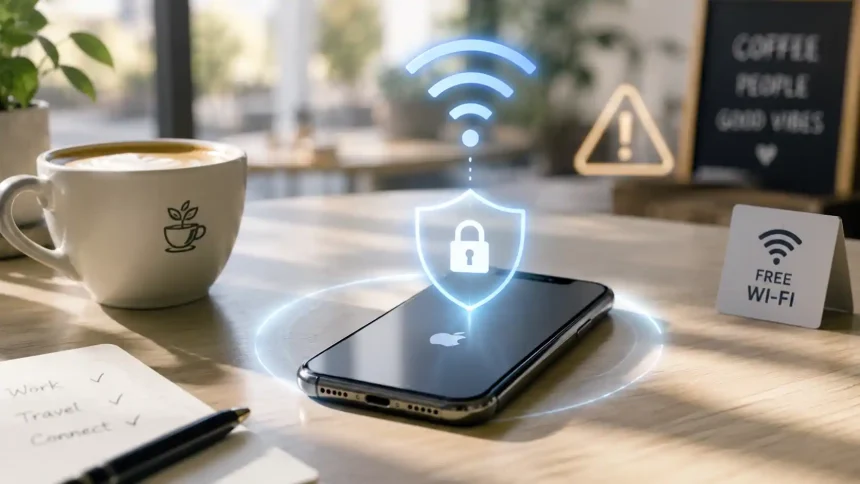
Picture this: you have just settled into your favourite coffee shop, ordered your usual drink, and before the barista has even called your name, your iPhone has already connected to the Wi-Fi. No prompt, no thought — just connected. It feels like a small convenience. And most of the time, nothing bad happens.
But “most of the time” is not the same as “safe.” A growing number of iPhone users are starting to notice the difference.
Public Wi-Fi is one of those things people have quietly accepted as part of modern life. Airports, hotels, cafes, shopping centres — the expectation is that free internet comes with the territory. What we think about less often is what comes with that free internet.
What is actually happening on that open network
When you connect to an open Wi-Fi network — one with no password, or a shared one written on a chalkboard — your phone’s traffic is not encrypted by the network itself. That means the data travelling between your device and the router is, at least in theory, readable by anyone else on the same network with the right tools.
Those tools are not hard to come by. Packet sniffers — software that captures and reads data packets as they move across a network — have been freely available for years. You do not need to be a hacker to use them. You just need to be on the same network as your target.
Then there is the evil twin attack, which sounds dramatic but is surprisingly simple to pull off. Someone sets up a hotspot using the same name as the legitimate network — “CafeWifi” instead of “Café_WiFi,” or simply an identical name. Your phone, which remembers networks it has connected to before and joins them automatically, connects without hesitation. Now all your traffic is routing through a device someone else controls, and you may never know.
Most of the time, casual browsing on public Wi-Fi does not result in anything dramatic. But “most of the time” stops being reassuring the moment you open your banking app, log into your work email, or access anything that involves a password.
Your iPhone is busier than you think
Here is something worth sitting with: your iPhone does not stop communicating with the internet when you put it in your pocket. Background app refresh, push notifications, email syncing, cloud backups — all of that generates network traffic continuously. When you join a public network, you are not just exposing what you actively do on your phone. You may also be exposing what it is doing quietly in the background.
The move toward HTTPS has helped significantly. Most websites now encrypt the content of what you send and receive. But website-level encryption does not hide the fact that you are communicating with a particular service, and it does not protect apps that fail to handle their own traffic carefully. It also does little to stop someone from watching the pattern of your activity — which services you connect to, how often, and for how long.
For most people, that level of monitoring is an abstract concern. But it becomes much less abstract when you are in an unfamiliar place, connected to an unfamiliar network, and not entirely sure who else is on it.
The moment your protection quietly disappears
Many iPhone users who use a VPN make one mistake: they assume that turning it on at the start of a session means they are covered for the whole session. In a stable home environment, that is mostly true. On a busy public network — in an airport terminal, hotel lobby, or conference centre — VPN connections can drop. Signals fluctuate, networks hand off, and for a few seconds, sometimes longer, your phone may be back on the open network without any obvious indication that anything changed.
That gap matters. It is exactly what a VPN kill switch is designed to close. Rather than letting your device quietly fall back to an unprotected connection when the VPN drops, a kill switch cuts all internet traffic immediately until the VPN reconnects. It is not a complicated feature, but it is the difference between protection that holds under pressure and protection with quiet gaps you might never notice.
If you are only occasionally on public networks and mostly use a VPN for general privacy, a kill switch might feel like overkill. But if public Wi-Fi is a regular part of your day — at work, while travelling, or during commutes — it is one of those features that earns its place the moment something goes wrong.
Simple habits that actually stick
No tool makes up for bad habits. The most effective thing most people can do is adjust how they think about public networks — and a few small changes to how your iPhone is set up can make a real difference.
Start by turning off auto-join for open networks. You will find it in Settings → Wi-Fi, then by tapping the “i” next to any saved open network. Disabling auto-join means your phone will not silently connect to a network just because it has seen that name before. You stay in control of when and what you connect to.
Next, go through your background app refresh settings and turn it off for apps that do not need to update constantly. Fewer background connections mean less exposure, especially on a network you do not control.
For the network layer itself, a free VPN for iPhone is a practical starting point that does not require a subscription or even an account to try. X-VPN, for instance, offers free access across 26 regions with no data caps and no registration required, so you can get a feel for how a VPN fits into your daily routine before deciding whether a paid plan makes sense. The kill switch is included, which means you get automatic fallback protection even on the free tier.
The combination of smarter settings and a basic network layer does not make public Wi-Fi risk-free. Nothing does. But it does mean you are no longer relying entirely on the assumption that the network you are on is the one it claims to be — or that the person at the next table is not paying attention.