The hp pavilion 13 notebook pc targets students, hybrid workers, and on‑the‑go creators who want a compact Windows laptop without spending ultrabook money. This review breaks down the experience across design, display, performance, battery life, thermals, ports, and everyday usability, so you can decide if it fits your workflow.
Design and Build Quality
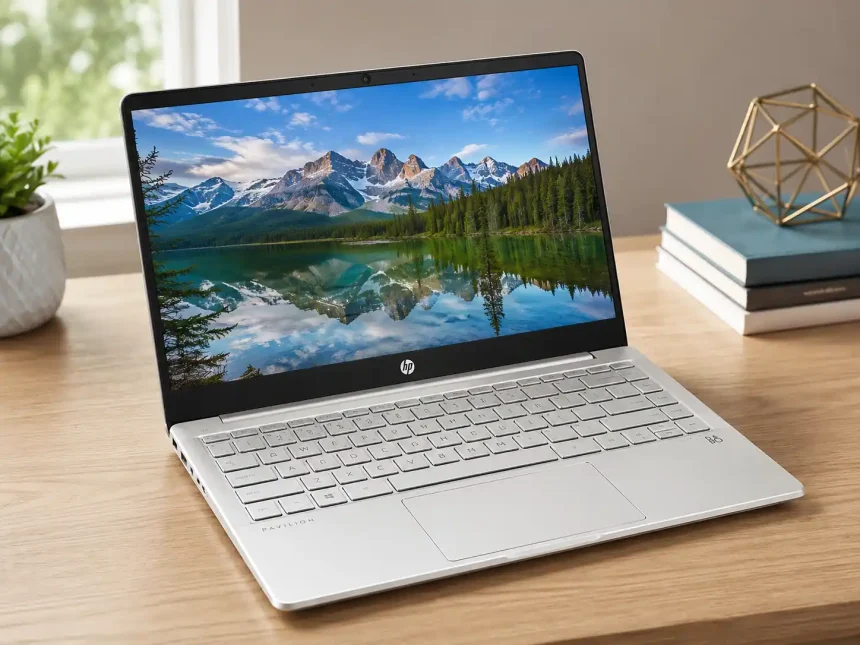
Sleek and travel‑friendly, the Pavilion 13 typically comes in a slim aluminum‑accented chassis with a sturdy hinge, weighing around 1.3–1.4 kg depending on configuration. The footprint is close to a sheet of A4 paper, sliding easily into a backpack or tote. The lid and deck show minimal flex under normal typing, and the micro‑edge bezels keep the footprint small while presenting a modern look.
Keyboard and Trackpad
- Keyboard: A comfortable, island‑style layout with decent key travel for a 13‑inch device. Backlighting is common on mid‑to‑higher trims. The typing feel is crisp rather than mushy, suitable for long emails and essays.
- Trackpad: A precision glass or smooth Mylar surface depending on generation. Palm rejection is solid, gestures are responsive, and click feedback is consistent.
Webcam, Mics, and Audio
- Webcam: 720p or 1080p depending on the model year. Some newer variants add a physical privacy shutter.
- Mics: Dual‑array microphones handle video calls in typical office lighting. Noise reduction is serviceable for coffee‑shop calls.
- Speakers: Dual speakers tuned by B&O deliver clear mids and highs. Loudness is adequate for desk use; bass is modest given the chassis size.
Display Options
Most hp pavilion 13 notebook pc units ship with a 13.3‑inch IPS panel at Full HD (1920×1080). Brightness ranges from 250 to 400 nits depending on SKU. Color coverage is often near sRGB, making it fine for web content, document work, and casual photo edits. Touchscreen options appear on select variants, and the hinge opens to a wide angle for flexible viewing.
Visual Quality and Use Cases
- Productivity: Crisp text, anti‑glare finishes on non‑touch models reduce reflections.
- Media: IPS contrast is respectable, with good viewing angles; HDR is not typical in this class.
- Creative work: For color‑critical tasks, you may want an external calibrated monitor, but for light editing, the built‑in display suffices.
Performance and Configurations
The Pavilion 13 line has spanned multiple generations of Intel Core and AMD Ryzen processors. Common configurations include Intel Core i5/i7 U‑series or Ryzen 5/7 U‑series chips, paired with integrated graphics (Iris Xe or Radeon). Memory typically ranges from 8 GB to 16 GB, with LPDDR4x or DDR4 depending on year, and NVMe SSD storage from 256 GB to 1 TB.
Everyday Speed
For web browsing with dozens of tabs, Office apps, video conferencing, and light creative tasks, the hp pavilion 13 notebook pc feels snappy. Integrated graphics handle 1080p media playback and casual games. Compiling code, exporting batches of RAW photos, or running virtual machines is possible but will be limited by thermals and integrated GPUs in this size class.
Upgradability
Storage is usually upgradeable via an M.2 slot. RAM may be soldered on some variants; check your exact model (e.g., 13-bb, 13-bf series) before purchase if memory headroom matters.
Battery Life and Charging
Expect all‑day mixed use from the efficient U‑series chips: around 7–11 hours of document work and streaming under balanced settings, with brightness near 200 nits. Fast charging is often included, topping up roughly 50% in about 45 minutes when using HP Fast Charge. USB‑C charging support varies by model; many units accept power delivery via the USB‑C port.
Thermals and Noise
Under light loads, the fan often stays quiet or off. During video calls or light photo edits, you’ll hear a gentle whir. Sustained CPU‑heavy tasks push the small cooling solution; the chassis warms near the hinge and underside, with fan noise rising but remaining below distracting levels for most users. A cooling pad or elevated stand helps during prolonged workloads.
Ports and Connectivity
A sensible mix for a 13‑inch machine:
- 1× USB‑C (often with DisplayPort and Power Delivery on newer trims)
- 2× USB‑A (SuperSpeed)
- HDMI 2.0 or 1.4 (varies by generation)
- Headphone/mic combo jack
- microSD or full‑size SD reader on select models
- Barrel charger port on some editions
Wi‑Fi 6/6E and Bluetooth 5.x are typical, delivering stable wireless performance for streaming and calls.
Software and Security
Out of the box, Windows 11 Home is common, with HP Support Assistant and optional trials preinstalled. You can remove bloatware in minutes. Firmware TPM, optional fingerprint readers, and camera privacy shutters bolster basic security. BitLocker (on Windows 11 Pro) and Windows Hello sign‑in enhance convenience.
Who Is It For?
- Students who prioritize portability and battery life for lectures and libraries
- Remote and hybrid professionals who need a compact, reliable daily driver
- Casual creators who edit photos, design in Canva, or cut short social clips
- Travelers who want a light laptop that still has real ports and a comfortable keyboard
Buying Tips and Model Names
HP’s naming can be confusing. The “hp pavilion 13 notebook pc” umbrella covers different generations (e.g., 13-bb, 13-an, 13-bf). Before you buy:
- Check CPU generation (12th/13th‑gen Intel or Ryzen 5000/7000 U‑series)
- Confirm RAM type and whether it’s upgradeable
- Verify display brightness and color coverage
- Ensure USB‑C supports charging and DisplayPort if you need a single‑cable dock
- Compare battery watt‑hours (Wh) across SKUs
Competitor Snapshot
- Dell Inspiron 13: Similar price range, sometimes better screens but fewer USB‑A ports
- Lenovo IdeaPad Slim/ThinkBook 13s: Strong keyboards and occasional OLED options
- ASUS Zenbook 13: Lighter weight, premium build, but can be pricier
Pros and Cons
Pros
- Portable 13‑inch chassis with solid build
- Reliable everyday performance with efficient U‑series chips
- Respectable battery life with fast‑charge support
- Useful mix of ports, including USB‑A and HDMI
Cons
- Integrated graphics limit gaming and heavy 3D work
- Some models have dimmer 250‑nit panels
- Soldered RAM on certain SKUs reduces longevity
Verdict
The hp pavilion 13 notebook pc balances portability, price, and practicality. If you value a compact form factor, dependable day‑to‑day speed, and enough ports to skip dongles, it’s a smart mainstream pick. Power users who need dedicated GPUs, 16+ GB of RAM, or color‑critical screens should look at higher‑tier ultrabooks or creator laptops. For everyone else, this 13‑inch Pavilion remains a well‑rounded, travel‑ready companion.