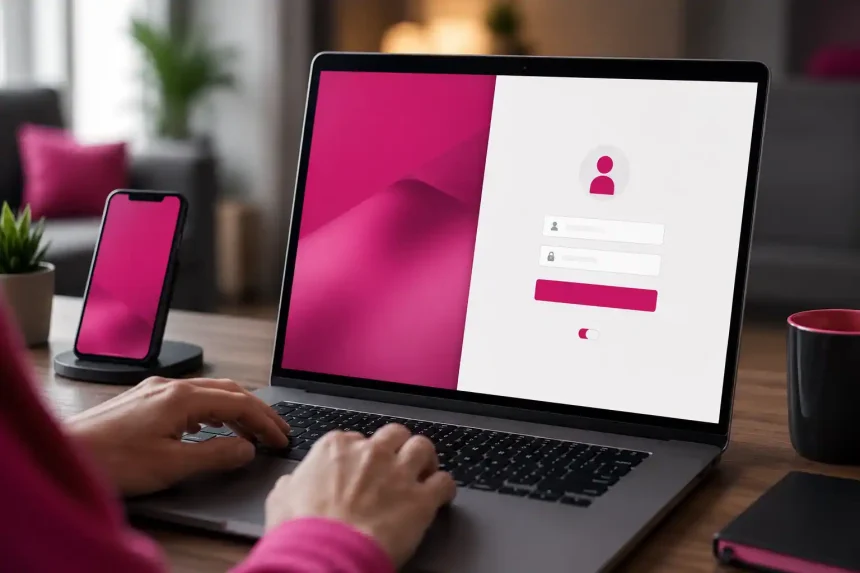
If you’re stuck at the t mobile login screen, you’re not alone. Authentication issues, password mismatches, and browser quirks are the most common culprits. Below, you’ll find clear, user-first guidance to diagnose and fix sign-in problems quickly, plus preventative tips to keep your account secure and accessible.
Typical Symptoms You Might See
- “We can’t find your account” or “Incorrect ID/password.”
- Endless loading spinner after you click Sign in.
- Two-factor codes not arriving or expiring too fast.
- App says you’re signed out unexpectedly.
- Locked account after multiple failed attempts.
Quick Checks Before You Troubleshoot
A few fast validations solve many t mobile login failures:
Confirm You’re on the Right Page
- Use the official sign-in page or the T-Mobile app. Avoid bookmarks that might be outdated.
- If using a third-party link, navigate directly via the T-Mobile homepage, then tap Sign in.
Verify Your Credentials
- Double-check your T-Mobile ID (email/phone) and password. Watch for caps lock and auto-fill errors.
- If you recently changed your number or email, ensure your T-Mobile ID reflects that update.
Network and Device Basics
- Switch from cellular to Wi‑Fi (or vice versa) to rule out connectivity hiccups.
- Restart your device; it clears temporary glitches blocking the login flow.
- Ensure date/time are set to automatic—incorrect time can break secure connections.
Fixes for Browser-Based Sign-In Issues
Web browser problems can derail the t mobile login process. These targeted fixes often help:
Clear Cache and Cookies
- Chrome/Edge: Settings > Privacy > Clear browsing data (cached images/files and cookies). Close and reopen the browser.
- Firefox/Safari: Preferences > Privacy > Clear/Manage Website Data. Then retry sign-in.
Try a Private Window or Another Browser
- Incognito/Private mode disables problematic extensions and cached sessions.
- If it works there, disable extensions (especially ad blockers, VPNs, password managers) and re-enable one by one.
Check for Blocked Scripts or Pop-Ups
- Some security tools block T-Mobile’s authentication scripts. Temporarily allow pop-ups and JavaScript for the domain, then try again.
Fixes for T-Mobile App Login Problems
When the T-Mobile app won’t accept your credentials or loops at sign-in, use these steps:
Update or Reinstall the App
- Update via the App Store or Google Play. Outdated builds can fail secure handshakes.
- If issues persist, uninstall, restart the device, then reinstall the app.
Reset Network and App Data (Mobile)
- iOS: Settings > Cellular > toggle data off/on; Settings > General > iPhone Storage > T-Mobile > Offload App, then reinstall.
- Android: Settings > Apps > T-Mobile > Storage > Clear cache. If needed, Clear data (you’ll re-authenticate afterward).
Check System Updates
- Install the latest iOS/Android updates for security compatibility with modern login protocols.
Account Recovery and Access Restoration
If you can’t pass the t mobile login screen due to forgotten details or a locked account, try these:
Reset Your Password
- Use “Forgot password?” on the sign-in page. Create a strong, unique passphrase (12+ characters, mix of letters, numbers, symbols).
- If you don’t receive the reset email or SMS, check spam/junk folders and confirm your contact info is correct.
Recover Your T-Mobile ID
- If you’re unsure of your username, use “Forgot T-Mobile ID?” to recover via email or phone.
- Recently changed your number? Your ID may need updating under profile settings once you regain access.
Unlock a Temporarily Locked Account
- After too many failed attempts, wait the stated lockout period before trying again.
- Reset your password during the wait to ensure the next attempt succeeds.
Two-Factor Authentication (2FA) Troubleshooting
2FA protects your account, but it can also be a sign-in hurdle if misconfigured.
Codes Not Arriving
- Confirm the registered number/email is accessible and has service.
- Temporarily disable Focus/Do Not Disturb modes that can hide notifications.
- On email, search all folders and wait a full minute; some providers delay messages.
Time-Based Code Mismatch
- Authenticator app codes rely on accurate device time. Set time to automatic and resync the app if available.
Lost Your 2FA Method?
- Use backup codes if you saved them during setup.
- Otherwise, contact T-Mobile support for identity verification and recovery assistance.
Security Best Practices to Prevent Future Login Issues
Proactive steps reduce the chance of future t mobile login problems and keep your data safe:
Strengthen Your Credentials
- Use a password manager to store unique, strong passwords and auto-fill accurately.
- Change your password periodically and never reuse passwords across services.
Keep Devices and Apps Updated
- Regularly update your OS, browser, and the T-Mobile app for compatibility and security patches.
Review Account Activity
- In your account settings, review recent activity and connected devices. Sign out of sessions you don’t recognize.
When to Contact T-Mobile Support
If you’ve tried these steps and still can’t pass the t mobile login prompt, it’s time to reach out:
Gather Helpful Details First
- Exact error messages, affected device(s), browser/app versions, and approximate timestamps.
- Note any recent changes (number swap, SIM change, porting, new device) that might impact authentication.
Support Channels
- Use the in-app chat or call customer care from a T-Mobile line.
- Visit a T-Mobile store with a government-issued ID for in-person verification and assistance.
FAQ: Fast Answers to Common Questions
Why does my login keep failing even with the right password?
- Cached sessions or mismatched time settings are frequent causes. Clear cache, use a private window, and ensure automatic time.
Can I sign in with my phone number?
- Yes, your T-Mobile ID can be your phone number or email, depending on how you set it up.
How do I add or change my recovery options?
- In account settings, add a backup email/number and enable an authenticator app for 2FA. Store backup codes securely.
By following this guide, you should resolve most t mobile login issues in minutes and build a more resilient, secure sign-in experience over time.